







Introduction
If you’re running a local business — or managing multiple locations for a client — then chances are you already know about Google Business Profile (GBP, formerly Google My Business). You’ve filled out your business name, address, phone number, website – maybe added photos, posted a few updates. But here’s a little secret many local-SEO practitioners quietly keep: your business category selection is one of the most powerful levers in your local-search visibility. In many cases, it can make a bigger difference than spending thousands on content or link building.
In this comprehensive article we’ll dig deep into GBP categories — what they are, why they matter, how to choose and manage them, how top experts use them to dominate local niches, and what mistakes to avoid. We’ll include charts, examples, flows and actionable checklists so you can apply this immediately.
Whether you’re a small independent store, a multi-location franchise, or an agency working on behalf of clients — you’ll walk away with clarity, strategy, and real tactics many local SEO vendors don’t always reveal.
Table of Contents
- What Are GBP Categories and Why They Matter
- The Anatomy: Primary vs Secondary Categories
- Why Categories Are a Hidden Ranking Factor
- How to Research and Choose the Right Category Strategy
- Advanced Tactics: Niche Dominance via Category Configuration
- Common Mistakes That Hurt Your Visibility
- Audit, Monitor & Evolve Your Category Setup (Recurring Process)
- Case Studies / Examples of Category Wins
- Actionable 10-Step Checklist & Flow
- Summary & Next Steps
- What Are GBP Categories and Why They Matter
1.1 Definition & Scope
At its core, a GBP category is a predefined label from Google that tells Google what kind of business you are. According to Google’s help page:
“Local results are based primarily on relevance, distance, and prominence. … Businesses with complete and accurate info are more likely to show up in local search results.” Google Help
More specifically:
- A category is supposed to describe what the business IS (not what it does or has).
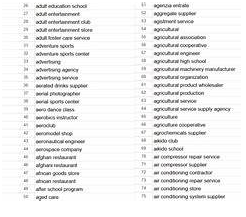
- As of 2026, there are over 4,000 different GBP category options.
- You cannot create custom categories beyond Google’s list — you must choose from what Google provides.
1.2 Why They Matter More Than You Think
You might think: “Isn’t the website content and link building what really drives rankings?” And yes — those matter — but in local search, category selection is one of the highest-impact factors. Here’s why:
- Relevance signal: The category tells Google what kinds of queries your business should appear for. If you choose “Italian Restaurant” vs. generic “Restaurant”, you’re signaling a specific set of searches.
- Feature eligibility: Some GBP features, display attributes, products/services settings, even local pack eligibility may depend on category alignment.
- Keyword alignment: The primary category influences which keywords (local queries) you show up for. If mis-matched, you may show for wrong searches or not at all.
- Customer match & user intent: The category helps match your business to customer intent. For example, someone searching “emergency plumber Detroit” expects a certain category.
- Competitive differentiation: Many businesses either pick too broad a category (thus competing with many) or pick the wrong category and miss the opportunity to dominate a niche. As one expert guide notes:
“With over 4,000 Google Business Profile categories available … most local service business owners are leaving money on the table by selecting overly broad categories or missing strategic opportunities to capture their ideal customers.”
So although it’s “just one field”, it’s a highly influential field — and yet it is often overlooked, under-analyzed, or mis-configured.
- The Anatomy: Primary vs Secondary Categories
2.1 Primary Category
Your primary category is your single most important category choice. It carries the most weight for Google’s algorithm in determining what you are. According to one detailed guide:
“The primary category is the single most critical choice you’ll make. It carries the most weight in Google’s ranking algorithm, directly impacts your Google Maps ranking, and has the biggest impact on the keywords you rank for.”
It is also publicly visible on your listing (on GB P except for some small modifications). Because of its impact, you want your primary to be:
- Highly specific: As precise as possible (e.g., “Italian Restaurant” instead of “Restaurant”)
- Closely aligned to your main offering: If you have one main service you’re best known for.
- Stable (but updateable if your business evolves): If you pivot your main service, you may update it.
2.2 Secondary Categories
Beyond the one primary, you can choose up to nine secondary categories in GBP. These are supporting categories that provide context about other significant aspects of your business. They help you capture more specific, long-tail or adjacent search queries. For example:
- Primary: “Plumber”
- Secondary: “Water Heater Installation Service”, “Emergency Plumber”, “Sewer & Drain Service”
Using secondary categories effectively helps broaden your search visibility without diluting the core relevance. From one guide:
“By selecting relevant secondary categories, you can ensure a more comprehensive representation of what your business provides, helping to attract a wider audience and meet customer needs more effectively.”
2.3 The Display & Algorithmic Difference
- The primary category appears publicly as your category (or at least influences what shows).
- Secondary categories may not always be publicly visible but they are used by Google behind the scenes for matching purposes.
- The algorithm places heavier weight on the primary category than secondaries — this means that getting the primary wrong is far more damaging than having “extra” or “less than nine” secondaries.
- Changing your category setup periodically (if your business evolves) is fine — but frequent, random changes can confuse the algorithm or reduce stability.
2.4 Example Visual
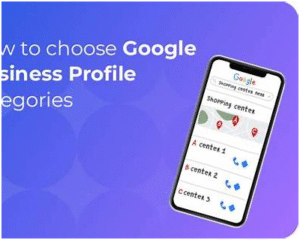
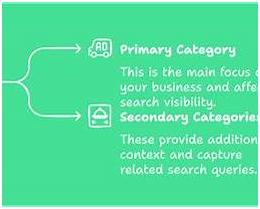
- Why Categories Are a Hidden Ranking Factor
3.1 Relevance, Distance & Prominence Framework
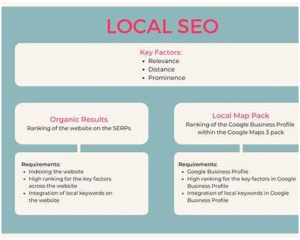
Recall Google’s own description of how they rank local results: three main factors — relevance, distance, and prominence. Google Help Categories fall squarely under relevance — the more precisely you define what you are, the more likely Google will match you to user intent.
3.2 Ranking Research & Expert Evidence
- According to a recent guide:
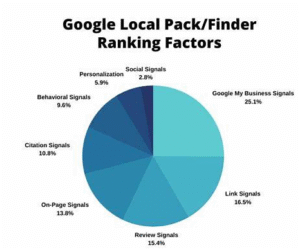
“The most significant Local Pack Ranking factors include the primary Google Business Profile category …”
- Another guide emphasizes how category selection can determine which keywords your listing triggers.
- Category misalignment often means you either rank for wrong keywords (and get irrelevant clicks) or you don’t rank for your ideal local queries at all.
3.3 Visibility Features & Keyword Capture
Choosing the right category can unlock certain GBP features (for example some service-type businesses get service menus, product lists, booking links) and thus boost click-through and engagement — both of which feed Google’s “prominence” signal.
Additionally, category selection affects the keywords you show up for: if your category is too broad, you may show for lots of generic queries and lose to more specific competitors; if too narrow or slightly mismatched, you might not show at all when you should.
3.4 Competitive Edge — Why Many Businesses Miss This
Many local businesses treat category selection as a “checklist” item: pick something, move on. But top local-SEO experts treat it as a strategic asset. Why? Because:
- The category is fixed (or rarely changed), so getting it right early reduces downstream friction.
- Many competitors are lazy or mis-configured → you can gain a visibility edge by being more precise.
- Upgrading categories is low-cost (no major technical dev) but high-impact.
- It’s often overlooked, meaning you can gain leverage while competitors are busy chasing links or content.
In short: optimizing categories is a “low-hanging fruit with outsized impact” for local SEO.
- How to Research and Choose the Right Category Strategy
4.1 Step-by-Step Selection Process
Here’s a recommended flow for choosing your categories:
- Define your core business offering(s) — What is the primary service or product your business is known for?
- Research competitor listings — Look at other businesses in your market (especially those in the local pack) and note their category selections.
- Use Google’s category list — Use GBP’s input box or third-party lists (4,000+ options) to find the most specific match.
- Choose the most specific primary category — If multiple candidates exist, pick the one that aligns with your highest-ROI service.
- Select relevant secondary categories — Choose up to nine that cover your adjacent services, specialties, or offerings.
- Check keyword alignment — Do searches using your candidate categories and see what keywords the businesses are ranking for.
- Align your website & content — Make sure your website reinforces the same business identity (schema markup, service pages) so category + website content are aligned.
- Monitor performance & adjust — Check GBP Insights and local ranking tools; if you notice sub-par performance or changes in your business model, adjust categories (carefully).
4.2 Key Criteria for Category Choice
When choosing, ask yourself:
- Is this the most specific category that describes the business “IS a”?
- Does the primary category reflect the service for which I want to rank locally?
- Are there secondary categories that capture other significant services and search intent opportunities?
- What categories are competitors using — is there a niche they are neglecting where I could dominate?
- Is my website and content aligned with these categories, so the signal is consistent?
- Have I accounted for future business changes (new services, expansions) when selecting categories?
4.3 Example: Brick-and-Mortar vs Service Business
Brick-and-Mortar Retail Example (Coffee Shop):
- Primary: “Coffee Shop”
- Secondary: “Café”, “Bakeries” (if you also bake), “Breakfast Restaurant” (if you serve breakfast)
Service-Area Business Example (HVAC Contractor):
- Primary: “Heating Contractor” (if heating is your core) or “Air Conditioning Contractor” if cooling is core
- Secondary: “HVAC Contractor”, “Furnace Repair Service”, “Air Duct Cleaning Service”
4.4 Visual: Category Selection Flow

4.5 Pro Tip: Leverage Adjacent/Niche Categories
If you serve a niche service within a broader category, picking that niche can reduce your competition and increase relevancy. For example: “Cosmetic Dentist” instead of generic “Dentist” helps you rank more cleanly for cosmetic dental searches. The guide from Moz emphasizes this.
- Advanced Tactics: Niche Dominance via Category Configuration
Here are some expert-level tactics that local SEO specialists use to gain an edge via categories:
5.1 Supporting Services via Secondary Categories
If your business offers multiple services, treat each major service as a secondary category. Then build supporting content/pages on your website for each service to reinforce that category signal internally. Example: A landscaping business might have primary “Landscaper” and secondaries “Tree Service”, “Lawn Care Service”, “Irrigation Contractor” — and then have dedicated pages for each service. This builds “topical authority” aligning with the categories.
5.2 Quarterly Category Review & Audit
Because categories change (new ones added, old ones deprecated), and because your business may evolve, experts schedule a quarterly review:
- Are there new, more specific categories added by Google?
- Has my business changed services or focus?
- Are market search trends shifting (e.g., a new type of service becoming more searched)?
- How are my competitors evolving their category usage?
Performing this audit ensures you stay aligned and don’t fall behind. The “expert method” described in one guide emphasizes this recurring process.
5.3 Category + Service Page Matching Strategy
To maximize the category signal, link each major service you offer to a corresponding service-page on your website and use schema markup aligning with that service. For example: GBP category “Roofing Contractor” plus a website page “Roof Replacement Detroit” with Local Business schema set to “Roofing Contractor”. This alignment boosts authority and relevancy for those queries.
5.4 Competitive Category Hijacking
By analyzing what categories your direct competitors use (and which they don’t), you can spot opportunities to use less-crowded categories and dominate them. For example: If many HVAC companies use generic “HVAC Contractor” but few use “Ductless Air Conditioning Contractor” (if that category exists), you might capture the niche.
5.5 Geographic & Service Differentiation
For multi-location businesses, you can adjust secondary categories by location based on local demand. For example, one location may have high demand for “Emergency Plumber” (so add that secondary category), while another location emphasizes “Commercial Plumbing Contractor”. Tailored category sets per location can boost each location’s relevancy.
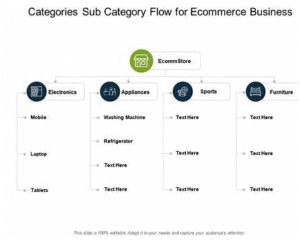
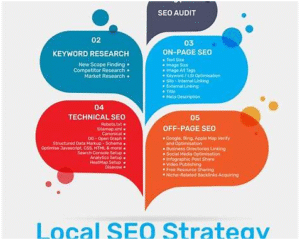
5.6 Visual: Advanced Tactics Diagram
- Common Mistakes That Hurt Your Visibility
It’s important to know what not to do. These mistakes frequently occur and can sabotage your local-SEO efforts.
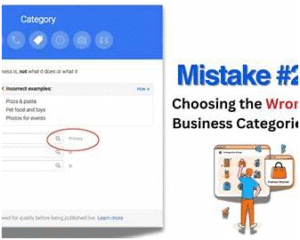
6.1 Using Too Broad a Primary Category
Choosing a high-level category (e.g., “Restaurant” when you are specifically “Vegan Restaurant”) means you’ll compete with many businesses and lose the edge of specificity. One Moz guide calls this out:
“Failure to properly categorize your business can have a profoundly negative impact on your company’s ability to rank in Google’s local results packs.”
6.2 Primary Category Not Matching Core Business
If your business has evolved (e.g., a general vape store now focusing on CBD) but the primary category remains old, you’ll mis-signal your core offering and lose relevancy.
Always check that your primary category still reflects your main offering.
6.3 Over-stuffing Irrelevant Secondary Categories
Adding many secondary categories that are only loosely related (or you don’t significantly deliver) dilutes your relevance and can confuse Google. Remember: secondary categories should only represent significant services, not every minor variation.
6.4 Mismatch Between Listing & Website
If your GBP category says “Roofing Contractor” but your website only talks about “Home Improvement”, or doesn’t include service pages for roofing, you cause a mismatch. Google sees inconsistent signals and may reduce trust.
One guide stresses aligning your website with the categories chosen.
6.5 Not Updating Categories When Business Changes
If you expand services, open new service lines, or shift your focus and don’t update categories, you’ll miss visibility for new opportunities. The Google list grows and competitor strategies evolve — failing to keep up means falling behind.
6.6 Choosing a Category That Doesn’t Exist
Because Google’s category list is huge (~4,000+), sometimes businesses try to create a “custom” category or select something not quite right. If your chosen category is not available or not specific, you may default to a generic category. Always verify by typing it into the GBP category selector.
6.7 Visual: Mistakes to Avoid Chart
- Audit, Monitor & Evolve Your Category Setup
7.1 Quarterly Audit Framework
Here’s a simplified audit framework you can adopt:
- Step 1: Export current category selections for each location (primary & secondaries).
- Step 2: Review Google’s category list for any new or more specific categories relevant to your business.
- Step 3: Check your website/service pages: are they aligned with the chosen categories? Do you have missing service pages?
- Step 4: Analyse local keyword trends in your market for category-relevant queries (e.g., via Google Trends or local rank-tracker tools).
- Step 5: Review competitor category usage: what categories do your nearest rivals use? Are there gaps or oversaturated categories?
- Step 6: Based on findings, adjust category selection (only when justified). Keep a version history or note of changes so you can measure impact.
- Step 7: Monitor GBP Insights and local ranking changes for 4-8 weeks post-change: did your visibility improve or suffer?
- Step 8: Document lessons & update your category selection policy for future growth.
7.2 Monitoring Performance Indicators
When you adjust categories, watch these metrics:
- Local pack impressions for queries aligned with category.
- Number of “calls”, “website clicks”, “direction requests” from GBP.
- Changes in average ranking position for local keywords.
- Changes in category-related keywords in your Google Search Console (if applicable).
7.3 Visual: Audit Dashboard Example
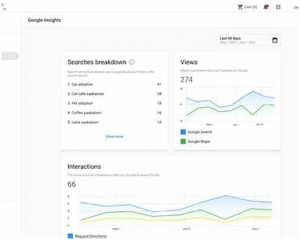
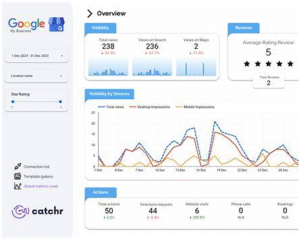
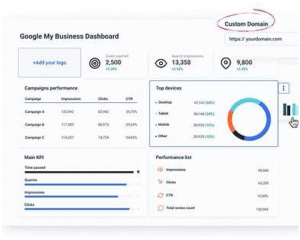
7.4 When & How to Change a Primary Category
If you determine a change is necessary, follow best practices:
- Ensure the new primary category is truly more accurate.
- Avoid changing major categories too frequently (~> 1-2 times per year unless major business pivot).
- When changing primary category: update website content to reflect the new focus, update service pages, update schema markup if used.
- Monitor closely for any drop in visibility; if you see significant drop-off, you may need to revert or refine.
- Case Studies / Examples of Category Wins
8.1 Example: Niche Restaurant Business
Imagine a restaurant originally listed as “Restaurant” (generic). It now re-selects its primary category as “Vegan Restaurant” and adds secondaries: “Vegetarian Restaurant”, “Gluten Free Restaurant”. The result: improved visibility in niche searches such as “vegan food near me”, “plant-based dinner Detroit”. By being more specific, they reduce competition (fewer businesses use “Vegan Restaurant”) and match more precisely to user intent.
8.2 Example: Service-Area Business
A multi-location plumbing company changes its primary category from “Plumber” to “Emergency Plumber” (because emergency repairs are the most profitable and high-volume). Secondary categories: “Sewer & Drain Service”, “Water Heater Repair”, “Commercial Plumber”. They then create dedicated website pages for each service aligned with the categories. Result: higher ranking for “emergency plumber Detroit”, increased leads, better ROI.
8.3 Example: Multi-Specialist Medical Practice
A medical clinic offering multiple specialties but defaulted to “Medical Clinic”. They revise: Primary category: “Orthopedic Surgery & Sports Medicine Physician”. Secondary categories: “Spine Surgeon”, “Physical Medicine & Rehabilitation Physician”, “Sports Medicine Clinic”. They update website schema accordingly and run content campaigns around each specialty. They now appear for both general clinic queries and specific queries like “spine surgeon Detroit”.
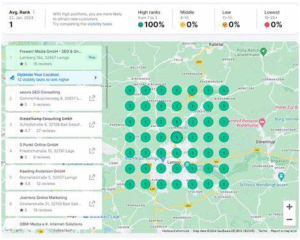
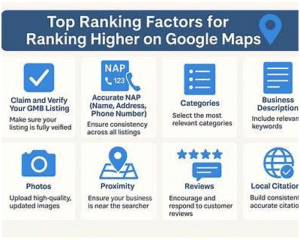
8.4 Visual: Before & After Comparison
- Actionable 10-Step Checklist & Flow
Here’s a practical checklist you can apply right now to optimize your GBP categories:
- Log in to your GBP → Verify your current primary and secondary categories.
- Write down your Top 3 services (by revenue, volume or strategic importance).
- Research your top 3 local competitors: note their categories and service positioning.
- Use Google’s category selector / third-party database to identify the most specific category matching your top service.
- Set your new primary category (if different).
- Choose up to 9 secondary categories for other significant services you deliver.
- Update your website: create or revise service pages that correspond to major categories; ensure internal linking and schema markup align.
- Schedule a category audit: mark quarterly in calendar.
- Monitor metrics (impressions, calls, direction requests) pre- and post-category change for at least 4-8 weeks.
- Document changes in a spreadsheet: original categories, changed categories, reason, date. Use this to track what works.
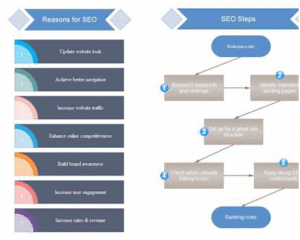
Flow Chart: Implementation

- Summary & Next Steps
To wrap up:
- Your GBP category selection is far more than a tick-box: it’s foundational for your local visibility.
- Get the primary category right first — that’s the biggest lever.
- Use secondary categories strategically to capture other key services without diluting your core identity.
- Align your website, service pages, schema, and content around your chosen categories.
- Perform regular audits — competitor tactics, new category updates, evolving business model.
- Avoid common pitfalls: too broad categories, mismatches, infrequent updates.
- With smart category setup + monitoring, you can gain a meaningful competitive edge in local search without a huge budget.
Immediate Next Steps for You
- Review your current GBP category setup today.
- Identify one service you want to dominate locally — adjust your primary category if needed.
- Update or create website content to reflect that service and category alignment.
- Set a calendar reminder for a quarterly audit of categories.
- Track results — you should start seeing improved local visibility, more qualified leads, higher conversion.