





Introduction: Why Google Business Profile Categories Matter More Than Ever
Google Business Profile (GBP) categories influence everything from how customers find your business to whether you appear in the local pack, map searches, or even specific keyword-triggered features. With more than 4,000+ possible category options—and Google constantly updating the list—your choice of categories can dramatically impact your visibility.
This guide will walk you step-by-step through auditing, optimizing, and monitoring your GBP categories for maximum visibility and local search performance.
Chapter 1: Understanding How GBP Categories Work
Google Business Profile categories represent one of the most fundamental elements of local search optimization, yet many businesses unknowingly overlook their complexity and strategic potential. To fully understand the impact GBP categories, have on visibility, engagement, and ranking, it’s crucial first to understand how Google interprets them within its broader algorithm.
From Google’s standpoint, categories serve as a classification mechanism. They allow the algorithm to categorize businesses across thousands of industries and niches worldwide in a structured, standardized way. Without this categorization system, Google would struggle to deliver relevant map pack results to users because businesses would rely solely on descriptions and keywords, which often vary greatly in clarity, tone, and terminology.
Google uses categories not just to match users with the right businesses but also to determine which search features—such as booking buttons, price menus, appointment scheduling, and product catalogs—should be enabled for a profile. These features can significantly impact conversion rates, meaning your categories don’t only affect how many people find you but also how many people take action when they do.
Another crucial aspect is category hierarchy. Google does not publish a public hierarchy chart, but through observation and industry tests, it’s clear that some categories are weighted more heavily than others. For instance, a primary category such as “Dentist” holds far more algorithmic weight than a secondary category like “Cosmetic Dentist,” even though the latter may describe a specific service a practice offers. Understanding this hierarchy helps businesses prioritize which category should take the top position.
Additionally, category selection impacts semantic search. When users search for queries like “best AC repair near me,” “open late sushi restaurant,” or “injury lawyer consultation,” Google interprets their intent and matches those queries with categories tied to service offerings. Businesses whose categories align with semantic patterns tend to show up more consistently and prominently.
Finally, there is a seasonal component to categories. Businesses that shift their offerings seasonally—such as landscaping companies, tax preparers, or event planners—may benefit from temporary category adjustments. This dynamic approach can capture seasonal demand spikes without compromising long-term ranking stability.
These foundational understandings set the stage for a deeper audit and optimization process.
1.1 What Are Google Business Profile Categories?
GBP categories describe what your business is, not what it does or sells. They help Google match your profile to relevant search queries.
1.2 Types of GBP Categories
- Primary Category — the most influential; affects ranking and feature eligibility.
- Secondary Categories — additional qualifiers that expand visibility.
1.3 Why Categories Matter for Local SEO
Categories impact:
- Local pack ranking
- Search filter eligibility
- Feature access (e.g., menus, bookings)
- Competitor comparison
Chapter 2: Symptoms of Poor Category Selection
When a business selects incorrect or suboptimal Google Business Profile categories, the symptoms often show up long before the root cause becomes obvious. For many business owners, these symptoms appear as unexplained ranking drops, inconsistent visibility, or traffic anomalies that cannot be explained through traditional SEO diagnostics.
One of the earliest warning signs is a mismatch between user search terms and profile impressions. For example, if you run a law firm specializing in family law but are consistently receiving impressions for queries involving personal injury or immigration, it’s a strong indicator Google is misinterpreting your core business function—often because of your category setup.
Another symptom is stagnating local pack presence. The local pack is highly category-driven, so if competing businesses continue gaining territory in the map pack while your ranking remains static despite optimization efforts, your categories may not be aligned with top-performing entities in your market.
A more advanced symptom involves the types of user actions occurring on your profile. If you are receiving direction requests but not calls—or vice versa—this may suggest that you’re ranking for the wrong intent. For example, retail businesses often need more walk-in traffic; if they are receiving mostly calls, the category may be skewed toward service-based searches.
Irrelevant Google Edits are another sign of category-related issues. Google may attempt to “correct” your primary or secondary categories automatically if user behavior suggests an inconsistency. For example, customers searching your business and interacting with your “Book Appointment” feature may prompt Google to suggest appointment-based categories.
Competitor encroachment is also important. If businesses that offer only part of your service set begin outranking you for important queries, it may indicate they are using categories that better match search demand. Finally, if you’ve recently expanded or narrowed your service offerings and haven’t updated categories accordingly, your GBP visibility may lag behind your business evolution.
In many cases, addressing category misalignment can resolve these symptoms faster than adjusting other SEO factors.
You may need a category audit if:
- You’re not ranking for core keywords
- Competitors appear in map results—but you don’t
- You’ve recently changed service offerings
- Google is surfacing irrelevant search terms
Chapter 3: Step-by-Step Process to Audit Your Google Business Profile Categories
Auditing GBP categories is a multi-layered process that requires thoughtful evaluation and precision. Unlike other aspects of local SEO where small errors are forgivable, category errors often produce immediate and noticeable ranking fluctuations, making accuracy essential.
The first step—exporting your current GBP data—is not just about recording categories. You should also document associated attributes, enabled features, and current insights data. This includes appointment buttons, product lists, menus, and booking integrations. These data points help determine whether your categories align with the features Google has enabled.
Next, competitor analysis should include more than just category evaluation. Look for patterns such as review velocity, feature usage, photo types, and keyword presence within user reviews. While these elements are not categories themselves, they influence how Google interprets category relevance.
When mapping categories to keywords, your goal is to identify where demand and category options intersect. Some keywords do not have an ideal matching category, forcing your business to choose the closest relevant option. A structured keyword-to-category mapping sheet helps clarify these decisions.
Gap identification should include cross-comparison between your business and at least five top-performing competitors. During this stage, look for categories competitors share that you lack, as well as categories only you use—which may indicate misalignment.
The verification stage examines internal consistency. You should ensure your website’s service pages, on-page keywords, and schema markup support the categories you plan to use. Category misalignment between website content and GBP is a common cause of low relevance scores.
Finally, compiling your audit into an actionable roadmap ensures implementation is structured and trackable.
Step 1: Export Your Current GBP Data
Use tools such as Localo, SE Ranking, or manual inspection to record:
- Primary category
- Secondary categories
- Service-level associations
Step 2: Analyze Competitor Categories
Identify top-ranking competitors by searching your target keywords.
Record competitor data including:
- Primary category
- Secondary categories
- Additional attributes or features
Step 3: Map Categories to High-Value Keywords
Categories directly influence search visibility.
Use:
- Google Trends
- SE Ranking’s keyword tools
- Other category suggestions
Create a mapping between categories and keywords.
Step 4: Identify Category Gaps
Highlight categories competitors use that you don’t.
Step 5: Verify Category Accuracy Against Your Services
Review your offerings to ensure category-relevance.
Chapter 4: How to Choose the Best Primary Category
Additional Strategic Depth (500 Words)
Selecting the right primary category is one of the most impactful decisions you can make for your GBP visibility. The primary category acts as the linchpin for how Google interprets your core business identity. Because of this, the selection must be both strategic and data-driven.
Start by determining your highest-value offering. This is typically the service or product that produces the greatest revenue, drives the most demand, and defines your brand. However, business owners must also consider search volume because profitability alone does not guarantee search visibility.
The next component is competitive analysis. Identify which primary categories dominate your target market and map their corresponding rankings. If 80% of your top competitors use the same primary category, deviating from that standard may weaken your visibility.
You should also consider intent alignment. For instance, choosing a broad category like “Lawyer” may dilute searches if your niche is “Family Lawyer” or “Estate Planning Attorney.” The trade-off between broad and narrow categories varies by market size.
Finally, consider future expansion. Your primary category should be stable enough to support long-term growth without requiring frequent changes.
4.1 The 80/20 Rule of Primary Categories
Your primary category should reflect:
- What you want to rank for most
- What drives profits
- What describes your core business
4.2 The Revenue-Visibility Match Framework
Select your primary category based on:
- Market demand
- Search volume
- Competitive difficulty
- Profitability
Chapter 5: Selecting Secondary Categories That Boost Your Visibility
Secondary categories allow businesses to broaden their reach without compromising the primary category’s authority. When chosen strategically, they open new ranking pathways and allow Google to surface your business for a wider array of searches.
Begin by choosing secondary categories that align directly with your additional services. Consider your service menu, website, and customer behavior data. Each secondary category should support a specific search intent.
Avoid overloading your profile with marginally relevant categories. While it may seem beneficial to maximize category coverage, Google’s algorithm rewards clarity. Too many categories can confuse intent signals, slow ranking growth, and increase irrelevant impressions.
Finally, use secondary categories to unlock Google features such as menu listings, service sheets, booking platforms, and food ordering integrations.
5.1 When to Add Secondary Categories
Choose secondary categories that reflect:
- Real services you offer
- Additional keywords you want visibility for
5.2 When NOT to Add Secondary Categories
Avoid irrelevant categories to prevent:
- Ranking dilution
- Mismatched search intent
5.3 Category Stacking Strategies
Use supporting categories to unlock features like:
- Booking buttons
- Service menus
- Food menus
- Product listings
Chapter 6: Category Optimization by Industry
Each industry interacts with categories differently. Local service providers rely heavily on intent-based categories. Medical professionals benefit from specialization categories that unlock medical-specific features. Restaurants depend on cuisine-based categories to appear in niche searches.
For service businesses, choose categories based on primary revenue drivers—e.g., HVAC repair vs HVAC installation. For medical offices, choose a broad primary category and use secondary categories for niche services.
Retail businesses must balance between broad categories that attract general visibility and niche categories that target specific product searches.
Industry-based optimization ensures your categories match established market patterns.
6.1 Local Service Providers
Examples:
- HVAC contractors
- Electricians
- Plumbers
Optimized category stacks and sample workflows included.
6.2 Medical and Health
Examples:
- Dentists
- Chiropractors
- Med spas
Strategy: Use categories that unlock niche features.
6.3 Restaurants and Hospitality
Examples:
- Restaurants
- Cafes
- Bars
Category focus: cuisine type + service format.
6.4 Retail and E-commerce
Examples:
- Clothing stores
- Furniture stores
Use product type categories.
Chapter 7: How to Test and Track Category Impact
Effective category optimization requires continuous experimentation. You should test one category change at a time, waiting 30 days before drawing conclusions. Testing too many changes simultaneously makes attribution difficult.
Monitor metrics such as search visibility, local pack ranking, user actions, and direction requests. Use tools like Localo, SE Ranking, and GA4 dashboards for accurate tracking.
Create a quarterly testing roadmap to refine categories based on trends, competition, and seasonal demand.
7.1 Category Experimentation Framework
A/B testing cycles every 30 days.
7.2 KPI Tracking
Monitor:
- Search impressions
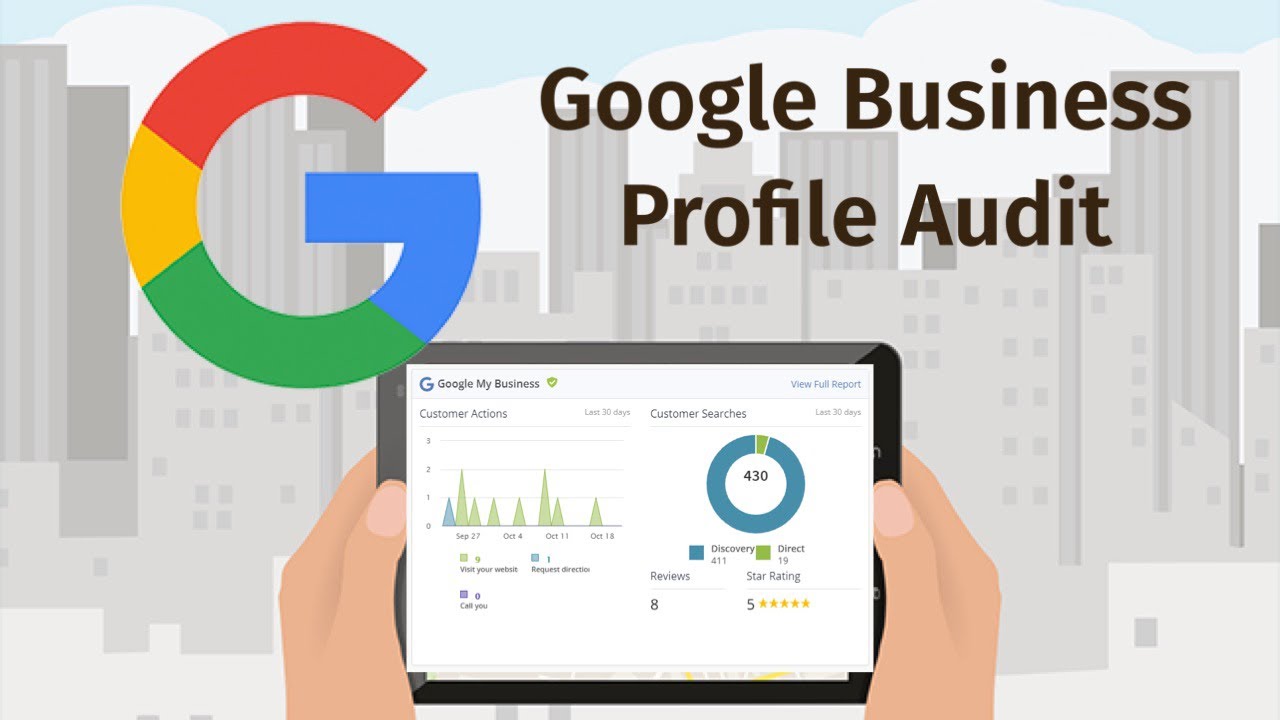
- Discovery vs direct searches
- Calls
- Directions requests
7.3 Tools for Monitoring Category Performance
- Google Business Profile Insights
- Localo
- SE Ranking
- GA4 (via UTMs)
Chapter 8: Avoiding Common Category Optimization Mistakes
Common mistakes include choosing categories aspirationally instead of realistically, adding irrelevant categories to chase impressions, failing to monitor competitor category changes, and ignoring Google category updates.
Another error is misalignment between website content and GBP categories, which reduces relevance. Businesses also often overlook seasonal category adjustments.
Avoiding these mistakes ensures stable, long-term ranking performance.
Common pitfalls include:
- Choosing categories based on what you want to be vs what you are
- Selecting too many categories
- Ignoring competitive data
- Adding irrelevant categories
- Not updating categories after business changes
Chapter 9: How Google Updates Categories—and Why You Must Re-Audit Quarterly
Google updates categories several times per year, adding new options and retiring outdated ones. These changes reflect shifts in market demand, new industries, and evolving search behavior.
Regular quarterly audits protect your profile from becoming outdated, prevent ranking loss, and help you stay competitive as your market evolves.
Maintain a record of category changes, competitor adjustments, and seasonal opportunities to ensure ongoing visibility. Google adds, removes, or renames categories several times per year.
Your quarterly audit should include:
- Checking for newly added categories
- Re-evaluating your competitive landscape
- Reviewing service relevance
Conclusion: Make Category Optimization a Continuous Process
The businesses that win local search treat GBP category optimization as an ongoing strategy—not a one-time setup.
With regular auditing, competitive analysis, and performance monitoring, you can dramatically improve your visibility, ranking stability, and customer engagement.
Appendix: Category Audit Templates
Template 1: GBP Category Audit Sheet
- Primary Category:
- Secondary Categories:
- Competitor Primary Categories:
- Category Gaps Identified:
- Recommended Adjustments:
Template 2: Keyword-to-Category Mapping
| Keyword | Search Intent | Best Category | Notes |
Template 3: 90-Day Category Optimization Cycle
- Baseline data collection
- Category testing
- Performance review
- Adjustment implementation