







In today’s hyper-competitive local search landscape, selecting the right categories for your Google Business Profile (formerly Google My Business) is not just a fill-in-the-blank exercise. It’s a foundational local-SEO decision that has ripple effects through your visibility, how Google understands your business, and how many relevant customers find you.
In this in-depth article, we’ll walk you through a comprehensive step-by-step framework for choosing the perfect categories — showing you what to do, what to avoid, and how to continuously optimize for local-ranking success. You’ll also get charts, examples, flows and tactical worksheets to apply immediately.
Why Categories Matter (and Why Many Businesses Get It Wrong)
Before we dive into the how-to, let’s understand why categories are such a big deal.
- Categories signal relevance
According to Google:
“Your business categories inform your customers about what your business does. … The categories you select affect your local ranking on Google.” Google Help+2Google Help+2
In practical terms: the business category you pick tells Google “This business IS a …”, which allows Google to match you to relevant queries rather than unrelated ones. If you pick something too generic (or worse, incorrect), Google may struggle to surface you for the right searches.
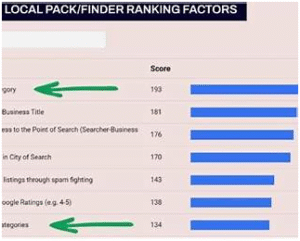
- Primary category is a major ranking factor
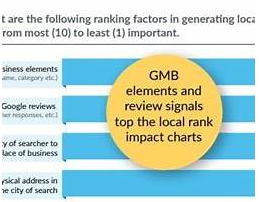
Leading local-SEO experts and tools consistently list your primary category (the single most important category you choose) as one of the top local-ranking signals.
Selecting the best primary category isn’t just about being accurate—it’s about choosing one that aligns with your highest-value queries, your competitive environment, and your service area strategy.
- Categories influence features & signals
Your categories also determine which features become available in your profile (for example, booking buttons, menu items, special attributes) and how Google aggregates signals like reviews, photos and services. Google Help+1
For instance: a “Restaurant” category may allow Google to show “Menu”, “Order online”, etc., whereas a generic “Food service” may not. By choosing the right category you unlock more ways to engage potential customers and build prominence in local search.
- Many businesses misuse categories
Some common mistakes:
- Picking overly broad categories (“Contractor” instead of “Electrical contractor”)
- Trying to list every service as a category, rather than focusing
- Picking categories that reflect what they do rather than what they are
- Ignoring secondary categories or misplacing them
The result? Diluted relevance, weaker signals to Google, and less chance of appearing in the local-pack or Google Maps for the most important keywords.
A Full Framework to Choosing the “Perfect” Categories
Here is a step-by-step system you can follow — think of this as your category strategy “playbook”.
Step 1: Clarify your business identity & goals
Before diving into the dropdown list of categories, you need to get extremely clear on:
- Who you are (your core business)
- What your most profitable service line is
- What your ideal customer is searching for
Key questions to ask:
- When someone searches your business type, what keyword would they use?
- Among all the services you offer, which one do you want Google to prioritize?
- Is your business hyper-local, regional, or national? (This matters for category competition)
- Are you targeting one niche service over others (e.g., “roof repair” vs “general contractor”)?
Tip: Write out a sentence: “This business IS a ___” rather than “This business DOES ___”. That blank is your candidate for primary category. This aligns with Google’s guidance.
Step 2: Research the available category list
Google currently has thousands of predefined categories. You cannot create your own custom category.
What to do:
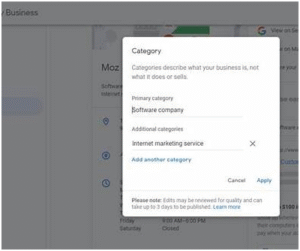
- Go into your Google Business Profile → Edit Profile → Business category. Start typing keywords and observe suggestions. Google Help+1
- Use resources that list many of the available categories to see options.
- Note: If your exact niche service isn’t listed, you must choose the closest match (usually more general). Google states: “If the specific category you want isn’t available, select a general category that describes your business.” Google Help
What to look for:
- Specific vs general: A more specific category gives you better precision (e.g., “Italian Restaurant” vs “Restaurant”)
- Competition: The more businesses use a category, the more competitive it may be
- Feature-unlock: Some categories unlock special features (bookings, menus, etc.) which may benefit your business
- Relevance: Ensure that whatever category you pick makes sense for your core business — not just every side service you have
Step 3: Choose your primary category
Your primary category is the single most important category you’ll list. Make this count.
Best practices:
- Choose the most accurate and specific category that describes your business at its core. For example, instead of “Salon” choose “Nail Salon” if that is your main focus. Google Help+1
- Make sure this category aligns with what you want to rank for (your main service + location)
- Avoid picking a category just because it has high search volume if it doesn’t reflect what you actually are (you’ll confuse Google and risk mis-ranking)
- If you cover multiple services but one dominates your business, go with that as primary — the others will be handled via secondary categories & services.
Example flows:
| Business | Core Service | Suggested Primary Category |
| Local HVAC company doing mostly furnace repair | Furnace repair & maintenance | “Furnace contractor” (if listed) or “Heating contractor” |
| Law firm specializing in family law | Divorce, custody cases | “Family law attorney” |
| Boutique Italian restaurant | Fine Italian dining | “Italian restaurant” rather than “Restaurant” |
Step 4: Choose relevant secondary categories
While your primary category carries most of the weight, secondary categories support and broaden your relevance.
Key tips:
- Use up to 9 secondary categories (Google allows up to 10 total: one primary + up to nine additional) but do not fill all slots just because you can. Over-categorizing can dilute your focus.
- Each additional category should still make logical sense for your business. If you add categories that aren’t strongly relevant, you risk confusing Google’s understanding.
- Use secondary categories to capture adjacent but still relevant services/elements of your business.
- Avoid making services into categories if they’re really just offerings — keep the focus tight.
Example:
If the business is an Italian restaurant (primary: “Italian Restaurant”), secondary categories might include:
- “Wine bar” (if they have a separate bar)
- “Pasta restaurant” (if heavily pasta-focused)
- “Vegetarian restaurant” (if a strong vegetarian offering)
Step 5: Validate against competitors & search intent
Now that you’ve picked candidate categories, validate them by looking at the local landscape.
Check what competitors are doing:
- Search for the key terms you want to rank for (e.g., “Italian restaurant Detroit”)
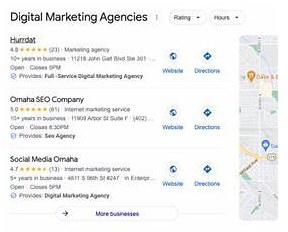
- Examine top local results: what categories do they show in their profiles?
- Use tools (like local SEO category-audit tools) to extract competitor category data.
Validate search intent:
- Do the category + location combos match user queries? For example: If users search “pizza near me” rather than “Italian restaurant”, you may need to consider whether a “Pizza restaurant” category should be primary or secondary.
- Consider seasonality or service intent (e.g., “emergency plumber” vs “plumber”).
Step 6: Optimize your “Services”, Profile Description & Content to support categories
Selecting categories is one part — the rest of the profile must support and reinforce those categories so Google feels confident in ranking you.
Key supporting elements:
- Services list: Under the Services tab of your profile, list all specific services you offer (e.g., “Drain cleaning”, “Furnace installation”) rather than adding them as categories when they’re really offerings.
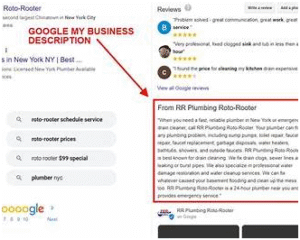
- Business Description: In your description, weave in relevant keywords (consistent with your categories) in a natural way.
- Website content & location pages: Ideally your website should have pages or sections aligned with your primary + secondary categories (creating “topical authority” on those themes). Some experts recommend supporting each category with a dedicated webpage.
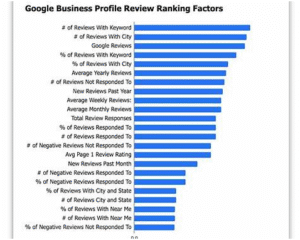
- Reviews & keywords: Encourage reviews that reflect your chosen category keywords (e.g., “Best Italian restaurant in Detroit” vs just “Great food”).
- Citations & backlinks: Ensure your business is listed on other platforms with consistent name, category references, and keywords aligned to your categories.
Step 7: Monitor, audit and adjust
Choosing categories isn’t a “set and forget” task. Over time your business may evolve, competition/neighborhood may shift, or Google may adjust category definitions.
Routine tasks:
- Quarterly audit: Review your category selections and competitor activity. Are the same top businesses still using the same categories? Has anything changed?
- Respond to changes: If your business focus changes (e.g., you move from general plumbing to specialize in “Backflow prevention”), you may want to change your primary category to reflect that new focus.
- Avoid category churn without purpose: Changing your category frequently can confuse Google and may trigger re-verification. Google Help
- Track ranking and traffic changes: Use Google Search Console / Google Business Profile Insights to monitor if relevance or traffic increases after category changes.
Common Mistakes & How to Avoid Them
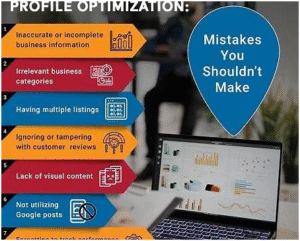
Mistake 1: Choosing too broad a category
Example: A hair salon picking “Beauty salon” instead of “Hair salon” or “Barbershop”. Being too generic reduces your ability to rank for specialized searches and makes you compete more broadly. Google explicitly advises choosing a specific category. Google Help
Fix: Pick the most specific accurate category that reflects what you do best, then use the broader one only if absolutely necessary as a secondary.
Mistake 2: Listing every service as a category
Some businesses try to “cover all bases” by adding all possible categories. While allowed (up to nine secondaries), this can dilute the prominence of your primary category and confuse Google about what you specialize in.
Fix: Focus on 1–3 categories: one strong primary, and one or two very relevant secondaries. Everything else goes into your Services list.
Mistake 3: Using category to reflect what you do, not what you are
The category should answer the question: “This business IS a …” — not “This business DOES …”. For example, “Drain cleaning service” vs “Plumber” (if you’re doing full plumbing).
Fix: Use your core business identity as the category. Use the Services list to reflect specific tasks.
Mistake 4: Ignoring the local competition when choosing categories
Even if you pick a perfect category, if every competitor is using that category and dominating the space, you may struggle. Or you may find a less-competitive adjacent category that offers easier wins.
Fix: Do competitor research. Consider categories where you can differentiate and capture a more specific niche.
Mistake 5: Failing to update categories when business evolves
Business models change, service offerings evolve, competition shifts. If your category no longer reflects your main business, you risk mismatches between what people search and what you show.
Fix: Set periodic reminders (e.g., 6- or 12-month reviews) to assess if your business focus has changed and whether category adjustments would help.
Advanced Tactics & Examples to Maximize Category Impact

Tactic: Align categories with your best keywords
Many local-SEO practitioners recommend that your primary category should map to the highest-value keyword you want to rank for. Example: If you want “Italian restaurant Detroit” to rank, choose “Italian restaurant” as primary.
Also, your secondary categories can map to supporting keywords: e.g., “Wine bar Detroit”, “Pasta restaurant Detroit”.
This helps Google associate your profile with those keywords via category + reviews + content.
Tactic: Use service pages or blog content to reinforce categories
According to one advanced guide: “supporting each category with a dedicated webpage to build topical authority” is a smart strategy.
Example workflow:
- Primary category: “Heating contractor”
- Secondary: “Furnace repair service”, “Boiler maintenance contractor”
- On your website: Create pages like “Furnace Repair in City”, “Boiler Maintenance Specialists” which reference those categories, have keyword-rich content, get internal links, reviews for those services.
- Google sees the profile + website + content as aligned and more authoritative for those search queries.
Tactic: Seasonal category switching or service-focus adapting
For businesses that operate differently by season (e.g., HVAC, landscaping) you may experiment with changing your primary category to emphasize seasonal service (within reason).
Example: HVAC company whose business flows more toward A/C in summer and furnace in winter. You could have primary category switch from “Air conditioning contractor” (summer) to “Heating contractor” (winter).
Note: Changing categories too often may trigger verification or confuse Google — so treat as tactical and test.
Tactic: Multi-location or franchise strategy
If you manage multiple locations of the same brand, you might fine-tune categories per location depending on local search demand, micro-niche or local competition.
Example: A chain of orthodontists may have one location that emphasizes “Pediatric orthodontist” (near schools), another that emphasizes “Adult orthodontist” (near business district) — each location can tailor its primary category to the local market.
Tactic: Use analytics to monitor impact
After you pick and implement your categories:
- Use Google Business Profile Insights (search queries, views, actions) to monitor if new traffic aligns with your category.
- Use Google Search Console for your website to track if keyword rankings are improving for queries tied to your category.
- Use local rank tracking tools for your target keywords.
If you see no improvement, re-assess categories, content, reviews and competitive landscape.
Worksheet: Audit Your Current Google Business Profile Categories
Use this checklist to evaluate and optimize your category setup:
| Step | Task | Notes |
| 1 | What is your primary business activity? (Write a sentence: “This business IS a …”) | |
| 2 | What are your top 3 services you want to rank for? | |
| 3 | In your GBP, what is your current primary category? | |
| 4 | List your current secondary categories (if any) and count how many. | |
| 5 | Are any categories irrelevant, outdated or inaccurate? (Yes/No) | |
| 6 | Research 3 top local competitors: what primary categories are they using? | |
| 7 | For each of your target keywords, what category do you think best aligns with that keyword? | |
| 8 | On your website, do you have dedicated pages/content that support each selected category? (Yes/No) | |
| 9 | Are you tracking metrics (views, actions, keyword rankings) pre- and post- category change? (Yes/No) | |
| 10 | Set a reminder for next category audit (date) |
Use this worksheet to decide whether you should keep, adjust, or replace your categories.
Case Studies: Good vs Bad Category Choices
Case Study A – Good Choice
Business: Local plumbing company that primarily does drain cleaning and general plumbing repair.
- Chose primary category: “Plumber” (accurate and specific)
- Secondary categories: “Drain cleaning service”, “Water heater repair service”
- Website: Has pages for “Drain cleaning in [City]”, “Water heater installation [City]”
- Outcome: Improved local visibility for key terms, Google Maps “3-pack” appearances increased.
Why it worked: Single strong category that matched what the business IS. Secondary categories targeted supporting services. Website content reinforced those categories.
Case Study B – Poor Choice
Business: Boutique yoga studio that also offers pilates, wellness coaching, and infrared sauna sessions.
- Chose primary category: “Health & wellness center” (too broad)
- Secondary categories: “Pilates studio”, “Sauna”, “Wellness coach”
- Website: Mixed services under one page, generic content
- Outcome: Struggled to appear for “Yoga studio [City]” or “Pilates studio [City]”; instead appearing in very broad “wellness” searches, not all relevant.
What went wrong: The primary category was generic, not the core service. Secondary categories were too many and some services should have been listed as services rather than categories.
Summary & Quick-Reference Checklist
- ✅ Choose one primary category that best describes what you are, and align it with your main target keyword.
- ✅ Pick 1-2 very relevant secondary categories; avoid filling all slots with weak relevance.
- ✅ Use your Services list, website content, reviews, and other profile elements to support your categories.
- ✅ Regularly audit categories, competitor category usage, and local search demand.
- ✅ Avoid broad categories when a more specific one fits. Avoid category “over-stuffing”.
- ✅ Use your category strategy as part of a holistic local SEO plan (content, reviews, citations, website).
- ✅ Track results. If category changes don’t improve visibility for your target keywords, revisit.
Final Thoughts
Selecting the right categories for your Google Business Profile is a strategic decision—not a checkbox. Done well, it gives you a strong foundation for local-search visibility and relevance. Done poorly, even the best business can be invisible in local search.
Treat your category selection like you would your service offering or branding: with care, research, alignment to your audience, and ongoing monitoring. When you choose categories that truly reflect your business identity and match what your customers search for, you give yourself a major edge in local rankings.
Start today: review your current primary and secondary categories, use the worksheet above, and refine your profile to be more precisely aligned—so when potential customers search in your area, you are the one Google chooses to show.