




Introduction
Every business that relies on local online visibility knows the importance of Google: it’s where customers search, where they compare, and where they click to call, map themselves, or visit. For many, the key to being found is the Google Business Profile. But what if that profile suddenly disappears?
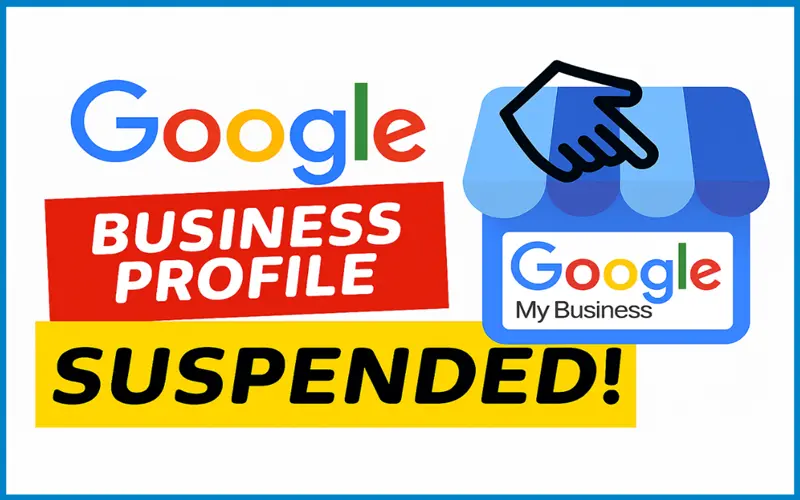
That’s exactly what happens when a GBP gets suspended — sometimes without warning. The result can be disastrous: loss of visibility, revenue, and customer trust — often at the worst possible time.
But what if you could prevent that? What if you could catch the early signs of trouble — misinformation, policy mismatches, suspicious edits — before suspension happens, and fix them proactively? That’s the power of proactive GBP monitoring.
In this article, we’ll explore why GBP suspensions happen, how they can devastate your business, and — most importantly — exactly how a monitoring-first strategy can save you from costly suspensions. We’ll provide detailed workflows, strategic recommendations, real-world examples, and visuals — making this a comprehensive playbook for any business owner or local-SEO manager.
Table of Contents
- What Does a GBP Suspension Really Mean?
- Why Businesses Get Suspended — Beyond “You Broke the Rules”
- The Hidden Costs of Suspension
- How Proactive GBP Monitoring Works
- Building a GBP Monitoring Strategy — Step-by-Step
- Tools & Tactics for Effective Monitoring
- Responding to Alerts: What to Do (Immediately)
- Real-World Case Studies: When Monitoring Makes the Difference
- Common Misconceptions and Mistakes to Avoid
- Final Thoughts: Why Monitoring is an Investment, Not a Cost
- What Does a GBP Suspension Really Mean?
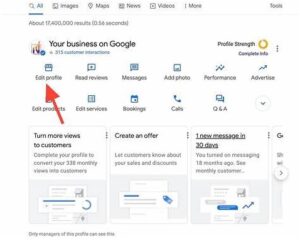
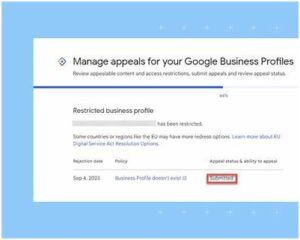
Before diving into prevention, it helps to understand clearly what “suspension” means — and why it matters.
Types of Suspensions
- Hard Suspension: The business listing is removed from Google Search and Google Maps entirely. No matter what the user searches, the business appears nowhere. This is the most devastating form.
- Soft Suspension (or Restricted / “Under Review” status): The listing may still appear — but the owner/admin loses management access to the profile. Edits, updates, or changes are often blocked until review is completed.
Either state can severely impair a business’s ability to be discovered by new customers.
What You Lose When a Profile Is Suspended
- Disappearing from Search & Maps: If customers can’t find you when they search your exact name or services + location, you’re effectively invisible.
- No Reviews, No Social Proof: Reviews — and their visibility — often drop off, which damages credibility and trust.
- Loss of Calls / Leads / Foot Traffic: For many local businesses, GBP is a major (if not the primary) driver of leads. A suspension can lead to a big drop in revenue.
- Wasted SEO & Local Marketing Efforts: Months or years of SEO, local citations, reviews, and optimization — gone overnight. Hard-earned trust and search ranking can vanish.
In short: a suspension isn’t just a nuisance — it’s a business-critical emergency.
- Why Businesses Get Suspended — Beyond “You Broke the Rules”
A common misconception is that Google only suspends businesses that intentionally cheat the system. While that does happen — many suspensions are triggered by clear policy violations — there are also many cases where perfectly legitimate businesses get caught up due to misunderstandings, mistakes, or even outside actions.
Here’s a breakdown of common causes, divided by type.
4
2.1 Policy Violations & Spam-like Behavior
These are the most obvious triggers. Repeatedly documented by agencies and Google-compliance guides.
- Keyword stuffing / promotional language in business name. For example: “Joe’s Plumbing – Best in Town 24/7 Emergency.” Such phrases, especially if not part of your legal business name, violate GBP’s naming policy.
- Fake or misleading addresses. Using PO boxes, virtual offices, co-working spaces, or UPS store addresses — especially for service-area businesses — is an often-cited reason for removal.
- Multiple listings / duplicates for the same business or location. Some businesses (wrongly) think multiple listings will boost visibility. In reality, Google flags duplicates as spam.
- Misleading categories or services. Choosing irrelevant or overly broad categories (or listing services you don’t offer) can raise red flags.
- Review manipulation, fake reviews, or review gating. Encouraging only positive reviews, or otherwise influencing review submission, is against GBP policy and can trigger enforcement.
2.2 Inconsistency, Verification & Data-Quality Issues
Sometimes the problem isn’t malicious intent — it’s inconsistency or oversight.
- Address, phone number, or NAP (Name–Address–Phone) mismatch across web properties. If your website, directory listings, and GBP don’t match exactly, Google may suspect the business isn’t real or is misrepresented.
- Virtual address + lack of verification. For home-based or service-area businesses that don’t serve customers at their address, failing to set up GBP correctly (e.g., showing a full address instead of a service-area) can cause suspension.
- Abrupt or repeated edits to key business info. Rapid changes to name, address, categories, or ownership can look suspicious. Google’s systems are more likely to flag or suspend profiles when many changes happen at once.
- Linked accounts or third-party managers with poor standing. If someone managing your GBP (an agency, consultant, ex-employee) has a flagged or suspended account, your GBP may become collateral damage.
2.3 External Reports & “False Positive” Flags
Even when you’ve played by the rules, sometimes suspension arises from external signals: user reports, competitor complaints, or mistakes in Google’s automated systems.
- Customer or third-party reports: A dissatisfied customer, competitor, or malicious actor could flag your business as fake or inaccurate ― triggering a suspension or manual review.
- False positives from automated spam detection: Google’s systems are designed to catch spam and fake listings — but sometimes legitimate businesses get caught in the dragnet, especially if their profile has signals similar to common spam patterns (like frequent edits, virtual addresses, or duplicate markers).
- The Hidden Costs of Suspension
The impact of a GBP suspension goes far beyond a “temporary inconvenience.” Because businesses often rely heavily on their profile for visibility and leads, the consequences compound — often silently, but severely.

Here are some of the most serious costs businesses face when their GBP goes offline — and why proactive monitoring can save them.
3.1 Immediate Revenue Loss
- Decline in inbound inquiries: Many local businesses get phone calls, contact form inquiries, or walk-ins from GBP. Once suspended, that stream dries up almost overnight.
- Missed opportunities during high-demand periods: If your business is seasonal or driven by urgent needs (plumbing, HVAC, repairs, home services), a suspension during a peak period can mean missing a crucial revenue window.
- Loss of organic traffic and SEO value: GBP helps with local SEO and “near me” searches. Suspension means you lose that advantage, and rebuilding visibility can take months.
3.2 Damage to Reputation & Trust
- No new reviews or visible existing reviews: Reviews are often the first thing prospective customers see. If reviews disappear (or new ones can’t be added), your social proof vanishes.
- Brand confusion or mistrust: Customers might think your business closed, moved, or shut down. This creates long-term credibility damage even if you later recover.
- Competitor advantage: While you’re offline, a competitor may step in — capturing your lost leads and earning reviews, which makes it harder to reclaim your market share.
3.3 Operational & Administrative Costs
- Time and effort spent on appeals: Reinstating a suspended GBP can require gathering documents, writing appeals, waiting weeks, and sometimes repeating the process. It’s an administrative burden no business wants.
- Potential long downtime: Soft suspensions might block edits for a while; hard suspensions may take weeks to lift. During this period you may be unable to update hours, address, or contact information — which itself can harm business operations.
- Lost investments in marketing and local SEO: All the effort and money spent on SEO, content, reviews, social proof, and local advertising could be undermined.
Given these severe consequences, many experts argue that the cost of prevention — via monitoring — is far lower than the cost of recovery.
- How Proactive GBP Monitoring Works
So — what does “proactive GBP monitoring” actually mean? In practice, it’s a systematic, ongoing process that combines regular checks, alerts, audits, and preventive maintenance to ensure your listing remains compliant, accurate, and unflagged.
Here’s a high-level view of how a good monitoring workflow operates — and why it matters.
Core Principles of Monitoring
- Continuous vigilance: Instead of “set it and forget it,” monitoring treats GBP like a living asset that needs regular attention — especially as business info, team members, or services evolve.
- Early-warning detection: Spot small issues — mismatches in address, suspicious edits, unverifiable changes — before they trigger a suspension.
- Audit-then-act: Perform periodic audits to ensure NAP consistency, compliance with naming guidelines, accurate categories, and verifiable addresses.
- Access control & accountability: Track who made changes (agency, internal staff, third-party), and ensure only trusted users can edit critical fields (name, address, categories).
- Documentation & record-keeping: Keep copies of business licenses, utility bills, lease agreements, signage photos — so if you ever need to appeal, you’re ready.
What Monitoring Covers (At Minimum)
A robust monitoring program usually includes:
| Area / Component | What to Check / Track |
| Business Name & Description | Ensure the name matches the registered/legal name; avoid promotional keywords or extra locations. |
| Address / Physical Location | Confirm address matches real-world presence; detect if virtual addresses or PO boxes are being used incorrectly; verify if service-area settings are correct. |
| Phone / Website / NAP Consistency | Ensure contact info is identical across website, directories, GBP, social pages, local citations. |
| Categories & Services | Confirm categories accurately reflect business activities; avoid irrelevant or misleading category assignments. |
| Edits & Change History | Log who made changes, what changed, and when; monitor for abrupt or multiple edits in short periods. |
| Access Permissions & Users | Review manager/admin list; remove outdated/inactive users; avoid giving access to risky accounts. |
| Reviews & Customer Reports | Monitor for review spikes, suspicious activity, or false reports; respond promptly and flag abuse. |
| Address Verification / Utility of Address | Ensure address can receive mail; keep proof (bill, lease, signage) in case Google requests verification. |
| Duplicate / Cross-Listing Checks | Scan for duplicate GBP listings, or listings created by past owners, employees, or third-party services. |
By keeping an eye on all these areas — regularly — you dramatically reduce the risk of triggering a suspension.
- Building a GBP Monitoring Strategy — Step-by-Step
Creating a monitoring strategy from scratch can feel overwhelming. But with a structured process, you can build a system — or adopt an existing service — that keeps your GBP clean and compliant.
Here’s a detailed playbook you can follow (or use to evaluate a third-party monitoring service).
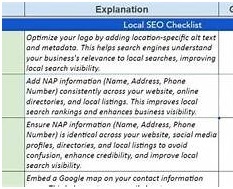
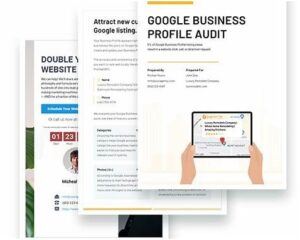
Step 1: Audit & Baseline (One-Time / Quarterly)
- Perform a full NAP audit: Check your business name, address, phone, website — across GBP, website, local directories, social media. Make sure they all match exactly.
- Gather and store evidence: Collect business license, lease or utility bills, signage photos (exterior and interior), proof of operations. Store digital copies securely.
- Check for duplicate or ghost listings: Search Google Maps for variations of your business name, alternate addresses, past owner names, or old listings you no longer use. Flag duplicates for closure.
- Review user access and permissions: Who has management or editor rights on the profile? Remove inactive or untrusted accounts.
- Lock core elements if possible: Where possible, avoid making changes to critical fields — or at least minimize frequency (business name, address, categories).
Step 2: Set Up Continuous Monitoring & Alerts
- Deploy a system — whether manual, spreadsheet-based, or software-driven — that regularly checks key fields for unexpected changes.
- Schedule monthly (or more frequent) audits to reconfirm NAP consistency and data validity across listings, website, and external directories.
- Implement a change-log with alerts: whenever someone changes a major field (name, address, category), you get notified.
- If you use an agency or third-party manager, make sure they follow a change-approval process (internal sign-off before publishing).
Step 3: Prepare for Verification or Appeal in Advance
- Keep digital copies of all proof documents (address, license, lease, signage) in a dedicated folder.
- Maintain a photo log: periodically take photos of your real-world address, signage, interior — ideally dated, geotagged, or with metadata/time stamp.
- Store old versions of your GBP listing (screenshots, backups) — in case you need to prove what used to be listed.
- Maintain a log of previous edits and who made them (name + role) — to help demonstrate that changes were authorized and legitimate.
Step 4: Define Internal Policies & Best Practices
If your business uses a team, agency, or multiple people to manage GBP and online presence, formalize internal rules:
- Who can make edits (and which fields)?
- How often are edits allowed? (Avoid changing name, address, categories more than once per quarter, ideally.)
- Verification protocols: any time you change address or ownership, require verification materials (lease, utility bills).
- Review and approval process: any major edit must go through a manager or compliance check.
- Document retention: always store supporting docs, photos, previous versions, and change logs.
Step 5: Regular Review & Update Cycles
- Quarterly or biannual full audits of NAP and listing consistency.
- Monthly checks of listing and directory mentions, referencing external citations, social pages, and online directories.
- Annual deeper compliance review — especially if you change business model, address, or services.
- Immediately respond to any alerts — unusual edits, flagged reviews, address-change warnings, or verification notices.
By embedding monitoring into your regular operations — rather than treating it as a one-time task — you transform your GBP from a “set-and-forget” asset into a living, protected asset.
- Tools & Tactics for Effective Monitoring
A robust monitoring strategy doesn’t always mean building it all manually. There are tools, tactics, and even services designed to help you — especially useful for businesses managing multiple locations or profiles.
Monitoring Tools & Services
- Listing-audit software platforms: There are services that crawl your GBP and cross-reference other public directories to spot discrepancies, duplicates, or outdated info. These platforms often send alerts when something changes or mismatches are found. Some even track changes in ranking or visibility.
- Change-log tracking / versioning tools: Some GBP management tools maintain a history of edits (who did what, when) — useful for accountability and rollback if something goes wrong.
- Automated NAP checkers: Tools that scan multiple directories, citations, and web listings to ensure consistency between your website, GBP, directories, and other external links.
- Access management and permissions audits: Tools or dashboards that help you manage who has access to your GBP, track inactive or suspicious accounts, and enforce least-privilege practices.
- Alert & notification systems: Whether built-in to a tool or via custom scripts, getting a real-time (or near real-time) alert for any critical change — e.g., address edit, category change, new manager, or review flags — is central to proactive monitoring.
- Backup & documentation storage (cloud or offline): Having a secure, organized place (cloud drive, internal server, compliance folder) for all business documents, photos, and history — so appeals or audits are easier.
Tactics & Best Practices
- Assign ownership internally: Even if you work with an agency, assign an internal “GBP owner” — someone responsible for oversight, audits, and documentation.
- Lock down critical edits: Only allow name, address, categories changes after a formal approval process.
- Use “delay and review” for major edits: Rather than making multiple changes at once, stagger them — and review before saving. For example: change hours → wait 24 h → change service category → wait → change description.
- Sync website and directory information: Any time you update address, phone number, or business name on your website — immediately reflect that on GBP (and vice versa).
- Review third-party access quarterly: Remove any outdated editors, ex-employees, or agencies no longer working with you.
- Keep documentation up to date: Renew business licenses, update lease or utility bills, and store photos — ideally with timestamps.
- Responding to Alerts: What to Do (Immediately)
Even with good monitoring, problems can arise. The critical factor is how you respond — promptly, methodically, and with evidence.
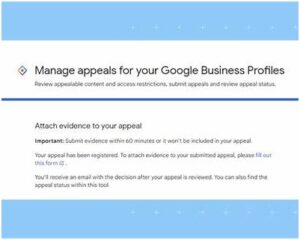
Here’s a step-by-step emergency workflow you should follow as soon as an alert or suspicious change is detected:
- Pause further edits. Don’t attempt to “fix” more than one thing at a time. Avoid making simultaneous changes—this can worsen the situation or trigger automated spam detection.
- Review the change: Identify exactly what changed (name, address, category, manager, etc.) — and determine whether the change was legitimate (authorized) or suspicious/unintended.
- Rollback if needed: If the change seems incorrect or unauthorized, revert immediately to the last known “good” version. Most GBP tools or dashboards allow you to revert or edit history.
- Document everything: Take screenshots of the change, note the date/time, record who made the change, and keep evidence of why it was unauthorized (if relevant).
- Review compliance with Google’s guidelines: Use GBP policy checklists to ensure that after any rollback, your listing is clean — no keyword stuffing, fake addresses, or disallowed content.
- If flagged or suspended — prepare for appeal: Use your stored documentation (business license, photos, proof of address, utilities, signage) and gather any additional context or explanation.
- Submit reinstatement request properly: Use the official GBP appeal process as described by Google. Include clear, verifiable evidence that your business is legitimate and complies with guidelines. Google Help+2GMB Jet+2
- Notify stakeholders/customers if relevant: If the listing is down, consider using alternate communication channels (website, email, social media, phone) to inform clients.
Having this workflow ready — before any crisis — greatly reduces downtime, confusion, and operational disruption.
- Real-World Case Studies: When Monitoring Makes the Difference
To illustrate the value of proactive GBP monitoring, let’s look at a few hypothetical (but realistic) scenarios based on common business types.
Case Study A: Home-Services Contractor (e.g., Plumber, HVAC)
Situation: A small HVAC contractor uses a home address as a base, but operates as a service-area business — no walk-in customers. They listed their home address originally (common mistake), but a client “suggested an edit” on Google claiming the address was a PO box / not a real commercial location.
Without Monitoring: Google triggers a soft suspension for verification — but the owner doesn’t notice for several days. During that time, they lose several high-value service calls (especially urgent fixes) — leading to $5,000+ in lost revenue that month; a few clients go to competitors.
With Monitoring: Their system alerts them immediately that Google flagged the address. They quickly edit the listing to service-area mode (hiding their home address), submit proof of license and business operation, and avoid suspension altogether — or get reinstated within 24–48 hours. Loss avoided.
Case Study B: Multi-Location Retail Chain
Situation: A retail chain with multiple stores uses a central agency to manage GBP listings. One editor accidentally duplicates a location — creating a second listing for a store with a slightly different name.
Without Monitoring: Google identifies the duplicate as spam and suspends both listings (hard suspension). For 3 weeks, the store is invisible on Maps — customers searching “store + city” get nothing. Loss of foot traffic and brand trust; employees scramble to answer calls manually, missing leads and creating confusion.
With Monitoring: The chain’s monitoring tool flagged the duplicate immediately. The agency reverted the unintended listing, submitted correct documentation, and clarified the error to Google. The primary listing remained intact; the duplicate was removed before causing damage. Crisis averted.
Case Study C: Marketing Agency with Multiple Clients
Situation: A digital agency manages GBP listings for 20+ small businesses. One of the humans making updates has an account that Google flags — perhaps due to earlier complaints. Their own account gets suspended, which causes cross-impact to all connected GBPs.
Without Monitoring: Multiple client listings begin disappearing, one after another. The agency scrambles — but reputational damage, frustrated clients, revenue loss, and time spent on appeals accumulate quickly.
With Monitoring: The agency’s monitoring alerts them when the master account gets flagged. They immediately transfer ownership to a clean account, review permissions, and ensure all clients’ listings are safe — preventing cascading suspensions.
These scenarios highlight how proactive monitoring is not just “nice to have” — it can be the difference between business continuity and crisis.
- Common Misconceptions and Mistakes to Avoid
Even when you try to be diligent, some misunderstandings or missteps can undermine your monitoring efforts.
Myth: “If I just follow the rules once, I’m safe forever.”
Reality: Even once-compliant profiles can get suspended — due to user reports, third-party edits, or verification issues. Monitoring must be ongoing.
Mistake: Making too many edits at once
Changing business name, address, and categories all in one go increases the risk of triggering Google’s spam detection. Better to stagger edits.
Mistake: Relying on memory or manual checks only
Without a tracking/logging system, it’s easy to miss duplicate listings, account changes, or subtle mismatches.
Myth: “Suspension only happens to shady businesses”
Reality: Legitimate, honest businesses are frequently caught up — especially small businesses using home offices, service-area models, or third-party agencies.
Mistake: Not retaining documentation or evidence
When it comes time to appeal, having no proof of address, business legitimacy, signage, or changes can make reinstatement difficult or impossible.
Mistake: Granting too many people editing privileges
Each additional editor is a potential weak link. If their account gets flagged, or they make problematic changes, your entire GBP could suffer.
- Final Thoughts: Why Monitoring is an Investment, Not a Cost
For many businesses, Google Business Profile represents a major — sometimes primary — point of contact for new customers. It’s the modern storefront. But unlike a physical storefront, it’s vulnerable to suspension, deletion, errors, and external interference.
Proactive GBP monitoring is not a luxury — it’s an essential part of digital-asset management. It’s the equivalent of installing security systems, performing regular audits, and locking your doors properly — only in the digital world.
Yes, it takes time, discipline, and sometimes tools or resources. But compared with the cost of suspension — lost revenue, broken trust, damage to reputation — it’s small by comparison.
If you treat your GBP as a living asset, maintain it with care, and monitor it proactively, you aren’t just protecting a listing — you’re protecting your business, your brand, and your bottom line.
Appendices & Resources
- ✅ Checklist for Monthly / Quarterly GBP Monitoring — A practical checklist you can copy into your internal SOPs.
- 📄 Template for Appeal Letter to Google — Structured, professional, guideline-compliant letter for reinstatement requests.
- 📂 Document Folder Structure Recommendation — How to organise proof (license, lease, photos, logs) so it’s easy to retrieve in a crisis.
- 🔧 Recommended Tools & Services — Suggested tools for listing audits, change tracking, NAP consistency, and access control.
- 🧰 Internal Policy Template for Businesses & Agencies — Roles, permissions, approval workflows, and compliance rules.
Conclusion
In the digital age, a business’s presence on Google is akin to its physical presence on Main Street — if not more important. A suspension of your Google Business Profile doesn’t just hurt your online ranking. It can stop phone calls, kill leads, and destroy the perception that you exist at all.
Proactive monitoring transforms GBP from a fragile listing into a guarded asset. It doesn’t guarantee perfection — but it gives you early warning, control, and resilience.
Because in the world of local search, it’s not enough to build your presence. You must protect it.