
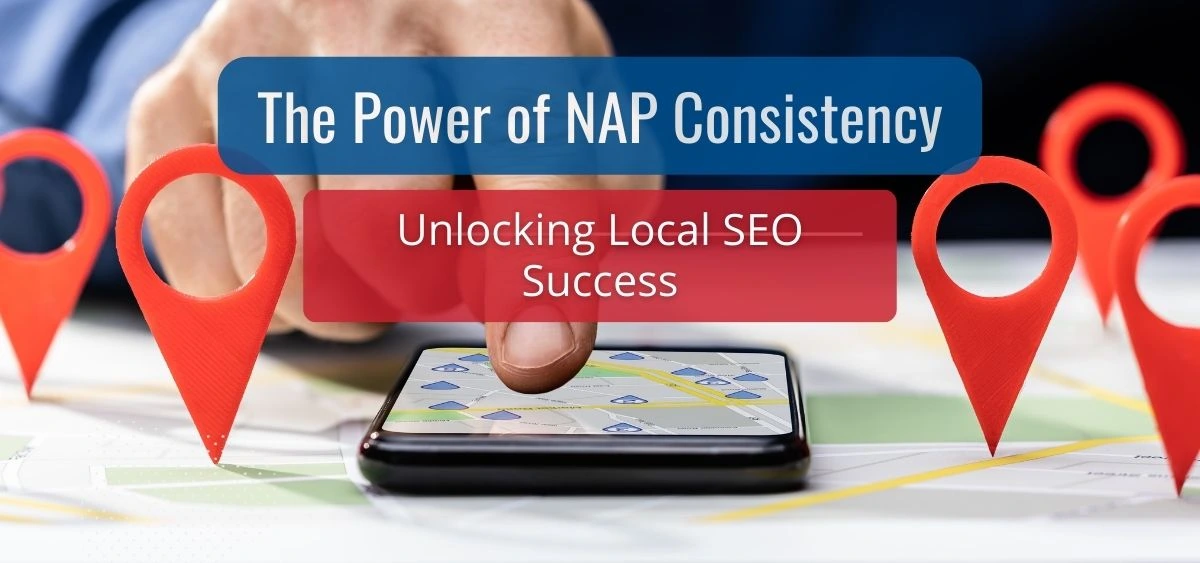

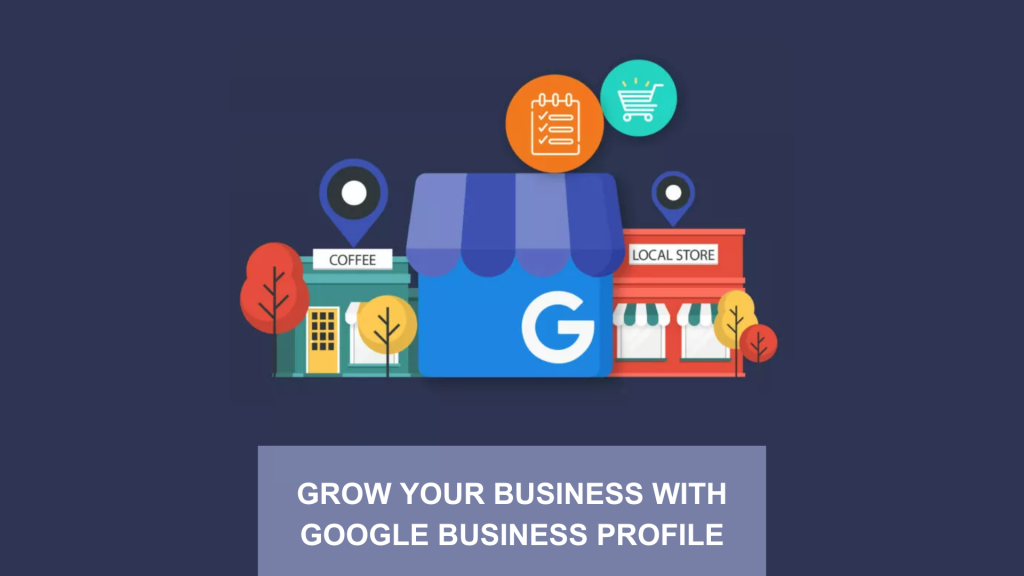
For most local businesses, their Google Business Profile is the homepage.
When someone searches “dentist near me” or “emergency plumber Detroit,” they see:
- A local pack or map results
- Ratings, review counts, hours, photos
- Offers and posts
- “Book” or “Call” actions
Google’s local algorithm primarily weighs relevance, distance, and prominence to decide which profiles appear and in what order. Reviews and rating signals are a major part of “prominence,” while proximity and keyword relevance matter for the rest.
Competitor intelligence on GBP lets agencies:
- See why competitors are winning pack positions
- Reverse-engineer high-performing tactics (categories, reviews, photos, posts)
- Identify gaps: missing attributes, weak reputation, bad media, no offers
- Turn “SEO is slow and mysterious” into “here’s what we copied, improved, and what changed in your calls and directions”
Google explicitly offers organization-level capabilities for agencies to manage profiles in bulk and use Insights to understand customer interactions across clients. That’s your structural advantage: competitors’ profiles are public; your ability to systematically mine them is the product.
Business case for agencies
Done right, GBP competitor intelligence leads to:
- More map pack visibility → more calls & direction requests
- Stronger online reputation vs. nearby competitors (proactive review strategy instead of reactive damage control)
- Clear, visual before/after reporting that makes renewals and upsells much easier
Suggested hero visual
Image idea: A wide hero illustration showing an agency strategist at a large screen with a Google Map, multiple business pins, and layered charts (reviews, calls, directions, ranking arrows) representing competitor insights.
- What Is GBP Competitor Intelligence (And What It Isn’t)?
GBP competitor intelligence is the structured process of:
Collecting, organizing, and analyzing publicly visible elements of competing Google Business Profiles and the SERPs they rank in — then using that to guide your client’s profile strategy.
It is not:
- Copy-pasting spammy tactics (like keyword-stuffed business names)
- A one-time audit you do at onboarding and never revisit
- Just “looking at star ratings”
Instead, it’s a repeatable, measurable system.
Key data points you can mine from competitor profiles
From each competitor GBP and related SERP elements, you can collect:
- Core business info
- Business name (and whether it contains keywords)
- Primary and secondary categories
- Address and service area
- Phone type (local vs. call tracking vs. toll-free)
- Website URL
- Reputation signals
- Star rating
- Total review count
- Review velocity (new reviews over last 30–90 days)
- Review content themes and keywords (what customers mention)
- Owner response rate and tone
Google review volume and rating impact prominence in local rankings and strongly influence conversions.
- Engagement & content
- Google Posts: how often, what type (offers, events, updates)
- Questions & Answers: what customers ask, how quickly they’re answered
- Photos and videos (quantity, quality, recency, mix: exterior, staff, products)
- Feature usage
- Booking links or integrations
- Products and services sections
- Attributes (e.g., “Women-owned,” “Open 24 hours,” “Wheelchair accessible”)
- Off-profile context
- Website’s local landing page quality
- On-page citations of NAP data
- Schema, FAQs, and conversion elements
Why this matters
- It gives you direct evidence of what’s working in this specific market
- It turns vague advice (“get more reviews”) into targeted actions (“your closest competitor averages 25 new reviews/quarter; you average 4”)
- It supports prioritization: instead of trying everything, you focus where the gaps vs. competitors are the largest
Suggested visual
Chart idea: A multi-column comparison table showing three competitors vs. your client across stats like: rating, review count, new reviews last 90 days, photo count, post frequency, attributes used.
- How GBP Fits Inside Google’s Local Algorithm
Understanding how Google thinks about local rankings helps you interpret competitor data correctly.
Google mentions three core local ranking factors:
- Relevance – how well a profile matches the query
- Distance (proximity) – how far the business is from the searcher
- Prominence – how well-known the business is, online and offline, including links, articles, directories, and review count/score.
What this means for competitor intelligence
- You can’t control proximity – but you can see which nearby competitors are consistently winning and why.
- Relevance is often about categories and content – competitor categories, services, and descriptions tell you how Google might interpret “what they do.”
- Prominence is where agencies can build moats – review campaigns, media strategy, PR, and citations.
Practical implications
- If your client is slightly further away but beats competitors on all prominence and relevance signals, they can still win more impressions and clicks within that radius.
- For certain high-intent keywords (“emergency plumber,” “24/7 locksmith”), prominence + category alignment can override small distance disadvantages.
Suggested visual
Diagram idea: Venn-style diagram with three circles: Relevance, Distance, Prominence. Place “GBP Competitor Intelligence” in the overlap between Relevance and Prominence to show where agencies can influence outcomes.
- Building an Agency-Ready GBP Competitor Intelligence Framework
You don’t want “random peeks at competitors.” You want a framework.
4.1. Set up your agency’s GBP environment
Google provides an organization account setup for agencies to manage multiple client profiles with centralized access and specialized support.
Key setup steps:
- Register your agency as an organization in Google Business Profile
- Centralize access to all clients’ profiles (owners vs. managers)
- Standardize roles and responsibilities within your team
- Document your internal GBP playbook (categories, naming rules, review policies, etc.)
Suggested visual: Screenshot-style mockup of an “organization” view with multiple client profiles listed, each with KPIs and competitor icons next to them.
4.2. Choose your tools
You can do competitor intelligence manually, but scaling across dozens of clients requires tools.
Mix of:
- Google native tools
- The GBP interface (Search/Maps edit mode) for direct inspection
- GBP Performance / Insights for queries, views, and customer actions
- GBP audit & local rank-tracking tools
- Tools like BrightLocal, Localo, and other GBP analysis platforms can audit profiles, compare them with competitors, and track map rankings across grids.
- Reputation management platforms
- Tools that aggregate reviews, send review request campaigns, automate responses, and monitor sentiment at scale.
- General SEO suites
- SE Ranking, etc., help correlate GBP visibility with organic performance and discover additional keywords your competitors rank for.
4.3. Standardize your data model
Create a master competitor intel sheet template that every account uses, with tabs like:
- “SERP Snapshot” – which profiles appear for which keyword + position
- “Profile Details” – name, categories, attributes, services, etc.
- “Reviews” – counts, averages, themes, velocity
- “Posts & Media” – frequency, post types, photo count
- “Scorecard” – your custom scoring system (more on this later)
This ensures your team can:
- Onboard faster
- Compare across clients and verticals
- Build repeatable case studies
Suggested visual
Visual idea: Spreadsheet mockup with colored columns for different data groups (Categories, Reviews, Posts, Photos, Attributes), rows for each competitor, and conditional formatting highlighting where your client is behind.
- Step-by-Step GBP Competitor Intelligence Workflow
Here’s a repeatable workflow you can turn into SOPs and training.
Step 1: Define the “battlefield” – queries and geography
For each client:
- Identify top money keywords:
- “{service} near me”
- “best {service} + {city/neighborhood}”
- “emergency {service}”, “24/7 {service}”
- Niche variations (“pediatric dentist,” “eco-friendly cleaning,” etc.)
- Define the geographic radius:
- Primary trade area (where most revenue comes from)
- Critical neighborhoods or zip codes
- Collect top SERP snapshots:
- For each core keyword, identify the top 5–10 profiles in the map pack and on Maps.
Tip: Use rank tracking tools that support geo-grid visibility to see which competitors dominate in which parts of the city.
Suggested visual
Image idea: A city map with a grid overlay and pins showing which competitor ranks #1 in each grid cell—highlighting coverage gaps.
Step 2: Capture core profile details
For each competitor and your client, document:
- Business name
- Primary category and secondary categories
- Physical address vs. service area
- Phone type (local vs. tracking)
- Website URL
- Opening hours and special hours
Why it matters:
- Keyword-stuffed names still often correlate with higher rankings, despite being against guidelines.
- Misaligned categories mean they’re vulnerable to a better-aligned competitor.
- Service area businesses vs. storefronts compete differently in certain queries.
Agency action: Create a “category library” per vertical, showing which high-ranking competitors use which category combinations.
Suggested visual
Chart idea: Bar chart showing how many top competitors use each primary category (e.g., “Dentist” vs. “Cosmetic Dentist” vs. “Emergency Dental Service”).
Step 3: Review & rating intelligence
Reviews are arguably the most visible competitive differentiator and strongly affect local prominence, trust, and conversions.
For each profile:
- Quantitative stats
- Average star rating
- Total reviews
- New reviews in last 30 / 90 days (review velocity)
- Response rate and average response time
- Qualitative analysis
- Common praise themes (speed, friendliness, price, expertise)
- Common complaint themes (wait times, rude staff, hidden fees)
- Keywords customers naturally use in reviews (these often reflect actual search intent and are valuable to mirror in content and responses)
- Risk and opportunity analysis
- Does a competitor have a few recent, detailed negative reviews at the top?
- Are they ignoring 1- and 2-star reviews (no owner responses)?
Google allows businesses to flag reviews that violate policies (hate speech, spam, conflicts of interest, etc.), but not simply because they’re negative. Many popular guides walk through legal, policy-aligned ways to remove or challenge such reviews.
Agency twist: Your intelligence work here isn’t just defensive. Competitors’ reviews are market research: you see what customers really care about and what they hate.
Suggested visual
Chart idea: Side-by-side bar charts for each business:
- Bar 1: Total reviews
- Bar 2: New reviews last 90 days
- Line overlay: Average rating
Step 4: Media (photos & videos) benchmarking
Photos influence clicks and trust. GBP surfaces photo views in Insights, and guidance from Google and agencies emphasizes keeping profiles stocked with high-quality, up-to-date images.
For each competitor:
- Count total photos (approximate is fine)
- Note types:
- Exterior (day & night)
- Interior (cleanliness, layout)
- Team photos
- Product/food/service shots
- Before/after visuals
- Note recency – any from the last month/quarter?
Questions to answer:
- Who looks the most “professional” at a glance?
- Does any competitor clearly show what it feels like to be a customer?
- Are there user-generated photos that reveal issues (dirty, crowded, confusing)?
Agency angle: Align your client’s photo strategy to exceed the best competitor in both quality and coverage (every stage: arrival → experience → result).
Suggested visual
Image idea: A 3-column “photo wall” preview for three competitors, each showing a grid of small image thumbnails, with overlay stats (e.g., “62 photos,” “Last added: 2 days ago”).
Step 5: Posts, offers, and Q&A
Regular posting signals activity, gives customers fresh reasons to choose a business, and can be used to highlight offers, events, or FAQs. Many guides recommend consistent posts as part of a holistic GBP strategy.Right On Interactive+2EmbedSocial+2
For Posts:
Track per competitor:
- Posting frequency (weekly, monthly, never)
- Types of posts used:
- Offers (discounts, packages)
- Events
- Updates/announcements
- Product/service spotlights
- Engagement signals:
- Visible likes, comments (if any)
- Calls to action (Book, Call, Learn more)
For Q&A:
- Are there questions left unanswered?
- What are the most common themes? (Pricing, insurance, parking, turnaround times)
- Are answers helpful or generic?
Opportunity: Create a Q&A content bank for your client, based on recurring questions seen across all competitors.
Suggested visual
Workflow diagram: A funnel where competitor questions and posts feed into:
- “FAQ content” → website pages and GBP Q&A
- “Offer ideas” → client posts
- “Objection handling” → sales scripts and automated replies
Step 6: Attributes, products, and services
Attributes and service details help Google better understand who you serve and how you operate (e.g., “LGBTQ+ friendly,” “Wheelchair accessible,” “Online appointments,” etc.). Many rankings resources emphasize complete, accurate profiles as a foundational local optimization step.
Collect:
- Accessibility attributes
- Payment options
- Health & safety attributes (when relevant)
- Service options (in-store, delivery, on-site)
- Products and services listed, with descriptions
Then ask:
- Which competitors are leveraging attributes to clearly signal niche positioning?
- What services/products are your competitors explicitly listing that your client also offers but doesn’t showcase?
Outcome: A prioritized list of attributes and services your client should add or refine.
Suggested visual
Table idea: Matrix of attributes (rows) vs. businesses (columns) with checkmarks, highlighting where competitors are leveraging trust and convenience signals your client is missing.
Step 7: Off-profile context (website & citations)
A great GBP usually correlates with a solid local landing page and supporting citations.
Check:
- Does the competitor’s website landing page:
- Mirror the same categories and services?
- Include local modifiers in titles, H1, and content?
- Show trust signals (testimonials, accreditation, guarantees)?
- Do they have visible links to:
- Review sites (Yelp, industry directories)
- Social profiles
Remember, Google’s local algorithm considers general web prominence and links to assess prominence.
Agency angle: Use your broader SEO tools to discover additional keywords and pages competitors rank for, then integrate those into your GBP strategy (services, posts, Q&A).
Suggested visual
Flowchart: GBP ⇄ Website ⇄ Citations, showing how authority and consistency flow between them, with competitors’ logos at each node.
- Turning Data Into Insight: The GBP Competitor Scorecard
Raw data is overwhelming. Agencies need a scorecard to translate it into priorities.
6.1. Build a simple scoring model
Create 4–6 scoring dimensions, e.g.:
- Visibility & Basics (0–10)
- Correct categories
- Hours, address, contact info complete
- Listings verified and active
- Reputation (0–10)
- Rating vs. market average
- Review count and velocity
- Response coverage, tone, and resolution
- Content & Engagement (0–10)
- Photos: quantity & quality
- Post frequency and relevance
- Q&A completeness
- Differentiation & Trust Signals (0–10)
- Attributes
- Niche positioning (e.g., “family-owned,” “24/7,” “luxury,” “budget”)
- Consistency across web properties
- Technical Alignment (0–10)
- Website local SEO alignment
- On-page conversion optimization
- Schema / structured data
Score each competitor and your client; calculate averages per dimension.
6.2. Use the scorecard for strategic choices
For each client, answer:
- Where is our largest gap vs. the top 3 competitors?
- Which two dimensions, if improved, would most likely move the needle in the next 90 days?
- Are competitors beating us on:
- Reviews & rating?
- Photo quality?
- Category alignment?
- Offers and posts?
This becomes your 90-day roadmap for GBP and related local SEO.
Suggested visual
Chart idea: Radar (spider) chart with 3–4 lines: Your Client vs Competitor A vs Competitor B, showing scores for each dimension.
- Translating Competitor Intelligence Into On-Profile Optimization
Now we connect the dots: “What we saw” → “What we do.”
7.1. Category & naming strategy
If competitors ranking above your client consistently use a more specific or better-aligned primary category (e.g., “Emergency Dental Service” instead of just “Dentist”), that’s a strong signal.
Actions:
- Review competitor category usage and cluster by vertical
- Switch or add categories where they better reflect actual services
- Avoid spammy, misleading categories just because they rank — align with reality and Google guidelines.
Note: Don’t recommend keyword-stuffed business names; it’s against guidelines and exposes clients to suspensions.
7.2. Review acquisition & response strategy
If your intelligence shows:
- Top 3 competitors average 100+ reviews and gain ~10 new reviews/month
- Your client has 30 reviews and gains ~2 per month
Then your roadmap is clear: you need a structured, proactive review system, not just a “please leave us a review” line on receipts.
Pull in best practices from reputation management resources that emphasize proactive, systematic review collection and timely responses.
Actions:
- Implement post-purchase review request automations (email/SMS)
- Train staff on how and when to request reviews
- Build response templates for positive, neutral, and negative reviews
- Identify fake or policy-violating reviews to flag via Google’s official process.
7.3. Media upgrades
If your competitors:
- Show vibrant, high-quality photos of staff and results
- Feature 360° tours, videos, or strong before/after galleries
And your client has 6 blurry exterior shots from 2019… it’s clear who the user chooses.
Actions:
- Produce a specific photo shot list based on competitor benchmarks:
- Exterior signage and entrance
- Interior waiting area / counter
- Team in action
- Close-ups of products/services
- Before/after or transformations where applicable
- Plan quarterly media refreshes to keep things current.
7.4. Posts, offers, and seasonal campaigns
Use competitor posts as a market lab:
- Which offers show up repeatedly?
- Do they run seasonal campaigns (holidays, back-to-school, seasonal maintenance)?
- Do they highlight financing, guarantees, or unique selling points?
Actions:
- Build a 12-month content calendar for GBP posts:
- Monthly “anchor” offers or themes
- Seasonal events or campaigns
- Supporting posts that reinforce reviews (“Customer of the month,” “Before & after”)
Tie this into Google Trends and seasonal search behavior to time posts with peak interest.
7.5. Attributes and service differentiation
From your attribute matrix, identify:
- Trust attributes competitors use that your client legitimately qualifies for but hasn’t enabled (e.g., “Women-owned,” “Veteran-owned,” “Free Wi-Fi”).
- Convenience attributes (online appointments, delivery, curbside pickup) that matter in your vertical.
Actions:
- Update attributes to match reality and highlight differentiation
- Reflect these in website copy, posts, and review requests (“Mention how easy your curbside pickup was!”)
Suggested visual
Workflow diagram: Inputs (competitor scores on reviews, photos, categories, posts) → Decision nodes (Biggest gaps? Quick wins? 90-day goals?) → Outputs (Review campaign, photo shoot, attribute update, posts calendar).
- Extending GBP Competitor Intelligence Beyond GBP
Your intelligence shouldn’t stay siloed inside Google Business Profile. It feeds your entire local marketing strategy.
8.1. Website content & landing pages
Use competitor insights to:
- Build or refine local landing pages that:
- Mirror the same services and themes customers mention in reviews
- Address top objections seen in competitor reviews
- Feature visuals and CTAs that reflect your unique strengths
Combine GBP data (queries, customer actions) with Google Trends to map content to real search behavior and seasonality.
8.2. Google Ads & Performance Max
Competitor GBP profiles and review content reveal:
- High-intent keyword phrases
- Pain points worth targeting in ad copy
- Promotions customers react to
Feed this into:
- Local search campaigns (use location extensions tied to GBP)
- Performance Max / Local inventory ads, aligned with your best-performing GBP content.
8.3. Social media & cross-channel reputation
Google now supports linking social media accounts directly to your GBP, helping unify your presence and support discovery.
Use competitor analysis to see:
- Which channels they highlight (Instagram, TikTok, Facebook)
- Which content formats (short video of work, behind-the-scenes, testimonials) seem to resonate
Then:
- Mirror what works, but with your client’s brand voice
- Use strong Google reviews as content assets across social media and website (with proper permissions and tools).
Suggested visual
Diagram idea: A hub-and-spoke graphic with GBP in the center and arrows connecting to Website, Google Ads, Social, Email/SMS, each annotated with “competitor insights fuel strategy here.”
- Reporting: Proving the Impact of Competitor-Driven GBP Strategy
All this intelligence is only valuable if you can show the impact.
9.1. Core GBP metrics to track
Agency-focused GBP reporting guides highlight metrics like:
- Views & visibility
- Search views
- Maps views
- Discovery vs branded searches
- How many people find your client by category/product vs by brand name
- Customer actions
- Calls
- Website clicks
- Direction requests
- Bookings
- Engagement & reputation
- New reviews
- Average rating over time
- Photo views
Pro tip: Always pair internal metrics (calls, leads, bookings) with GBP metrics to close the loop and prove revenue impact.
9.2. Before/after competitor delta
Instead of just “we improved your own numbers,” show:
- Relative position in the market over time:
- Your average position in map pack vs. top 3 competitors
- Changes in review count and rating vs. them
- Changes in photos, posts, and attributes vs. them
This is where your original scorecard and grid tracking pay off.
9.3. Building executive-friendly reports
Use:
- Clean charts (before/after bar graphs, trend lines)
- Simple narratives:
“When we started, Competitor A had 2x your reviews and dominated the map pack. After 4 months of structured review campaigns and post strategy, you now have more new reviews than any competitor and rank #1 in 14 of 20 map grid cells.”
Suggested visual
Chart idea: A 2-panel graphic:
- Left: Map grid with your client’s rankings before the campaign (mostly 3–5).
- Right: Map grid after 3–6 months (more 1s and 2s). Underneath, a bar chart for calls and direction requests over the same period.
- Tools & Automation: Scaling Competitor Intelligence Across Dozens of Clients
At agency scale, manual checks break down. You need automated monitoring and repeatable workflows.
10.1. Competitor tracking and alerts
Leverage platforms that:
- Monitor competitors’:
- Ranking movements in map packs and across grids
- New reviews and review sentiment
- New photos and posts
- Send alerts when:
- New competitors enter the SERP
- Existing competitors rapidly gain reviews or change tactics
Third-party local SEO and GBP audit tools are increasingly focused on competitor comparison and “what to fix” recommendations.
10.2. Reputation management automation
Reputation platforms and agencies stress the importance of proactive review pipelines and monitoring.
Automate:
- Post-visit review requests (SMS/email)
- Multi-platform listening (GBP, Facebook, Yelp, industry sites)
- AI-assisted review response drafting, with human QA
- Escalation workflows for high-severity issues
10.3. Playbooks and SOPs
Document:
- “New Client GBP Competitor Audit” SOP
- “Quarterly Competitor Re-triage” SOP
- “Negative Review Response & Removal Attempt” SOP (aligned with Google policies)
Agency benefit: You reduce “thinking from scratch” and increase margin by delivering consistent, productized work.
Suggested visual
Workflow diagram:
- Input: “New client signed” → Trigger: “Run competitor audit” → Automated tools pull data → Strategist reviews scorecard → 90-day roadmap generated → Implement → Monthly reporting loop.
- Future-Proofing: GBP Competitor Intelligence in the Age of AI & 2026 SEO Trends
Local SEO is being reshaped by:
- AI Overviews and generative search results
- Zero-click SERPs
- Voice and conversational search
- Stricter quality and E-E-A-T expectations
Recent SEO trend guides highlight:
- More AI-summarized answers that blend web and GBP data
- Growing importance of reviews as structured data points (sentiment, topical coverage)
- Increased weight on trust and authority signals (E-E-A-T)
What this means for GBP competitor intelligence:
- Review content is training data
- The language customers use in reviews about your competitors will shape AI suggestions (“best for emergencies,” “cheap but slow,” “great for families”).
- Agencies should deliberately shape clients’ reviews to emphasize real differentiators.
- Profiles must align with broader brand authority
- AI overviews will likely cross-reference your GBP with your website, social proof, and external mentions.
- Competitors who invest across channels will benefit.
- Structured and complete profiles gain an edge
- The more structured data (categories, services, attributes, Q&A, consistent NAP) AI can rely on, the better.
- Competitor analysis helps you see how far behind or ahead your client is on that structured completeness.
Takeaway: GBP competitor intelligence isn’t just about today’s map pack. It’s about feeding tomorrow’s AI-driven search experiences with better data than your competitors.
Suggested visual
Diagram idea: “Today vs 2026” with two columns:
- Today: Map pack, reviews, basic info
- 2026: AI overviews, voice answers, richer snippets pulling from GBP + reviews + site.
Arrows show how reviews, attributes, and consistent data flow into both worlds.
- Practical Templates: How to Operationalize This Inside Your Agency
To make this real, structure it into three phases for each client.
12.1. Onboarding (Weeks 1–4): Deep Competitor Audit
Deliverables:
- Battlefield definition (queries + geo grid)
- Competitor roster (top 5–10 per core query)
- Full GBP competitor intel sheet
- Scorecard and gap analysis
- 90-day action plan focused on:
- Category alignment
- Review velocity improvements
- Media overhaul
- Initial post calendar
- Attribute and services cleanup
12.2. 90-Day Execution Sprint
Focus on:
- Implementing quick wins:
- Categories
- Attributes
- Basic info and hours
- Initial media upgrades
- Launching review request automations
- Running two or three big tests based on competitor intel:
- Example: “Launch ‘Free second opinion’ offer since competitors are not offering it but reviews show price sensitivity.”
- Example: “Emphasize ‘same-day service’ in posts and landing pages because competitor reviews praise speed.”
- Monitoring:
- Map rankings and grid coverage
- Calls, direction requests, website clicks
- Review growth vs competitors
12.3. Ongoing Quarterly Optimization
Every quarter:
- Re-run a condensed competitor audit:
- New entrants?
- Category changes?
- Review momentum shifts?
- Adjust:
- Review campaigns (change messaging, incentives, or timing)
- Post themes and offers
- Media focus (new seasonal photos, new services, etc.)
- Refresh:
- Scorecard
- Roadmap for next quarter
Agency angle: Package this as a retainer product: “Quarterly Local Competitive Advantage Review” with clear deliverables and benchmarks.
Suggested visual
Timeline graphic: 12-month timeline broken into:
- Month 1: Deep audit & strategy
- Months 2–3: Implementation & testing
- Month 4: First quarterly review
- Months 5–12: Repeat review → refine → implement cycles.
- Bringing It All Together
Google Business Profile competitor intelligence is your agency’s secret weapon because:
- Competitors’ profiles are a public blueprint of what Google rewards in that specific local market.
- Systematically studying those blueprints lets you skip guesswork and go straight to strategies that already work.
- Combining that with reputation management, structured reporting, and AI-aware planning creates a defensible edge as local SEO evolves.
If you want to turn this article into a highly engaging asset on your site:
- Use the suggested visuals (maps, scorecards, radar charts, workflows) as diagrams or custom graphics.
- Turn the scorecard and audit template into downloadable resources or lead magnets.
Anchor your content in real-world screenshots (with sensitive info redacted) to make it feel practical and grounded.